

If you're running an online business using Wix, it's essential to understand the fees associated with accepting payments from customers. Payment processing fees can take a significant chunk from your profits if you're not careful. Wix Payments is the built-in payment gateway that many Wix users rely on to accept credit card payments, Apple Pay, Google Pay, and more - and like all payment processors, it charges various fees for those services. For the higher-level commission question, see does Wix take a percentage of sales.
This guide covers every Wix payment fee in plain language: transaction fees, chargeback fees, currency conversion fees, refund policies, and how Wix credit card processing fees stack up against PayPal, Stripe, and Square. Understanding these costs helps you price your products correctly and choose the right plan. If you want to know how much Wix costs overall, including plan pricing, that guide covers the full picture.
Does Wix Charge Transaction Fees?
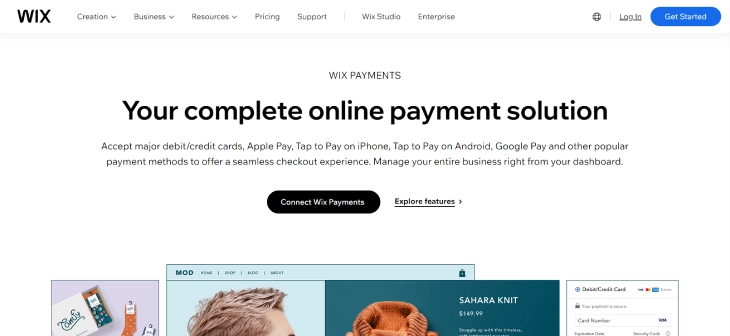
Yes - Wix charges transaction fees on every sale processed through Wix Payments. The standard US rate is 2.9% of the transaction amount plus $0.30 for online credit and debit card payments. The exact Wix transaction fee varies by country, payment method, and whether the sale is online or in person. Wix does not charge setup fees or monthly fees on top of this, making it more accessible than gateways with subscription pricing.
For in-person sales, consider the Wix POS system to manage transactions - the POS rate is lower at 2.6% with no per-transaction flat fee.
| Types of Fee | Transaction | Chargeback | Currency Conversion | Payment Provider | Setup | Monthly |
|---|---|---|---|---|---|---|
| Price |
2.9% of the transaction value (plus $0.30 for online card payments) |
Around $20.00 (exact fee varies depending on your location) |
Around 2% of the transaction value | Exact fee varies depending on the provider and the payment method used |
None ($0.00) |
None ($0.00) |
Transaction Fee
The transaction fee is the primary Wix payment processing fee - a percentage of the total sale amount deducted every time a customer pays. In the US, the Wix credit card fee is 2.9% + $0.30 per online card payment. This covers fraud detection, payment authorization, and settlement to your bank. Rates differ in other countries; for example, UK merchants pay 1.9% + £0.20 for standard card transactions.
To understand how much Wix takes as a percentage across different transaction sizes, see our dedicated guide on whether Wix takes a percentage of sales.
| Types of Transaction Fee | Credit / Debit Card | Apple Pay | Google Pay | Wix Payments Point Of Sale (POS) | Tap To Pay | Tap To Pay On Mobile | Manual Card Entry | Afterpay | Affirm |
|---|---|---|---|---|---|---|---|---|---|
| Price | 2.9% + $0.30 USD | 2.9% + $0.30 USD | 2.9% + $0.30 USD | 2.6% + $0.00 USD | 2.6% + $0.20 USD | 2.6% + $0.20 USD | 3.5% + $0.30 USD | 6% + $0.30 USD | 6% + $0.30 USD |
Chargeback Fee
A chargeback occurs when a customer disputes a charge on their credit card and the payment processor reverses the transaction. Wix Payments charges a chargeback fee - typically around $20 - to cover the administrative costs of the dispute process. This fee is charged regardless of whether the dispute is resolved in your favour, which means you lose both the sale revenue and the fee if the customer wins. The exact amount varies by country.
To protect yourself, provide clear product descriptions, ship with tracking, and respond to customer inquiries promptly. Fewer disputes means fewer $20 hits.
Currency Conversion Fee
When a customer pays in a currency different from your account's payout currency, Wix Payments converts the funds and charges approximately 2% of the transaction value for the conversion. This fee covers exchange rate risk and processing. If you sell regularly to international customers, this can meaningfully add to your costs - see the international fees section below for strategies to reduce this.
Payment Provider Fee
Wix Payments occasionally routes transactions through a third-party payment provider. When this happens, the provider may add an incremental fee on top of the standard Wix payment fees. The amount depends on the provider and the payment method. Using direct card payments or PayPal tends to avoid most payment provider surcharges.
Setup Fee
Wix Payments charges no setup fee. There is no cost to activate Wix Payments on your store - if you need help getting started, our guide on how to set up Wix Payments walks you through the full process. This makes it straightforward for new merchants and startups to get started without upfront capital.
Monthly Fee
Wix Payments charges no monthly fee for the payment gateway itself. The only recurring costs are your Wix plan subscription and the per-transaction fees on each sale. This is different from some enterprise gateways that charge $25–$50/month on top of transaction fees.
Wix Payments International Fees: What You Need to Know
If your business sells to customers outside your home country, Wix payment fees involve two layers: the standard transaction fee plus the currency conversion fee. For a US merchant selling to a European customer who pays in euros, Wix Payments charges 2.9% + $0.30 on the transaction and then approximately 2% to convert the euros to USD - bringing the effective rate to nearly 4.9% on that order.
Wix Payments supports selling in multiple currencies, but the payout is settled in your account's base currency. To reduce international Wix credit card fees:
- Display prices in your customer's local currency - their bank handles conversion, bypassing Wix's conversion fee.
- Consider a third-party payment gateway that offers lower FX fees if international orders make up a large share of your revenue.
- Check whether your Wix plan or region qualifies for reduced rates - some markets (UK, EU) have lower base transaction rates due to local card network rules.
Note that Wix Payments is not available in every country. If it's not available in your market, you'll use a third-party gateway, which carries its own fee structure.
Wix Payments Refund Fee Policy
When you issue a refund to a customer, Wix Payments does not charge a separate refund fee. However, the original transaction fee is typically not returned to you - meaning if a customer refunds a $100 order that cost you $3.20 in transaction fees, you absorb that $3.20 loss. This is standard practice across most payment processors, including PayPal and Stripe.
For partial refunds, Wix returns a proportional share of the transaction fee. For full refunds, the entire transaction fee is retained by the processor. Factor this into your return policy, particularly if you sell high-value items or operate in a high-return category like apparel or electronics.
How to Reduce Wix Payment Fees
While it's impossible to eliminate Wix Payments fees entirely, several strategies can lower your effective rate.
Choose the Right Pricing Plan
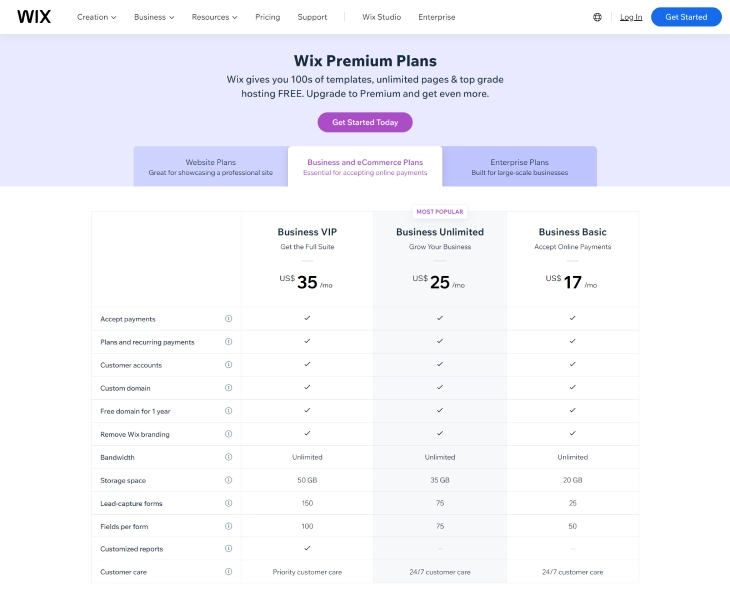
Wix offers several pricing plans, and the transaction fee rate can differ between plans. Higher-tier Wix business plans may offer reduced Wix credit card processing fees for merchants with larger sales volumes. Before upgrading, calculate whether the savings on transaction fees outweigh the higher monthly plan cost. Our breakdown of how much Wix costs covers each plan's fee structure in full.
Minimize Chargebacks
Each chargeback costs you the disputed transaction amount plus roughly $20 in fees. Reducing chargebacks directly reduces your total Wix payment fees. Best practices include writing accurate, detailed product descriptions, providing order confirmation emails, using trackable shipping, and responding to customer inquiries within 24 hours. Make your refund policy easy to find - customers who can get a straightforward refund rarely file chargebacks.
Manage Currency Conversion Proactively
If international sales represent a meaningful portion of your revenue, displaying prices in local currencies and letting customers' banks handle conversion can eliminate Wix's ~2% currency conversion fee on those orders. Alternatively, offering PayPal at checkout gives international buyers a familiar option that often handles multi-currency payments through their own FX rates.
Wix Payment Fees vs. Other Payment Gateways
When comparing Wix payment fees to other gateways, consider the full fee picture - not just the headline transaction rate. While Wix Payments charges no monthly or setup fees, gateways like PayPal, Stripe, and Square offer different features and pricing structures that may suit certain businesses better.
Wix Payments vs. PayPal
Both Wix Payments and PayPal charge 2.9% + $0.30 per transaction for standard US credit and debit card sales - so the headline Wix transaction fee is identical to PayPal's. The differences emerge in the details: PayPal charges additional fixed fees on micro-transactions (as high as $0.49 on small orders), while Wix Payments applies the same flat $0.30 regardless of order size. For merchants with a high volume of small orders, Wix Payments' predictable structure is often cheaper. PayPal also charges cross-border fees of 1.5% on international transactions, comparable to Wix's ~2% conversion fee. One advantage PayPal offers is buyer familiarity - many customers trust PayPal's checkout, which can improve conversion rates.

Wix Payments vs. Stripe
Stripe's standard US rate matches Wix at 2.9% + $0.30 per card transaction. Where Stripe differs is in scope: Stripe supports over 135 currencies natively, offers more granular subscription billing controls, and provides developer APIs for deeply customized payment flows. For straightforward Wix stores, this added complexity isn't needed - and both gateways cost the same per transaction. However, Stripe's currency conversion fee is typically 1%–2%, comparable to Wix Payments, and Stripe's international card rate adds another 1.5%. If you run a more complex payment setup - multi-currency subscriptions, marketplace payouts, or programmatic billing - Stripe justifies its slight learning curve.
Wix Payments vs. Square
Square's online transaction rate is 2.9% + $0.30, matching Wix Payments. For in-person sales, Square charges 2.6% + $0.10 versus Wix POS at 2.6% + $0.00 - making Wix marginally cheaper at the register. Square's strength is its ecosystem: inventory management, employee timekeeping, and a robust POS hardware line make it the go-to for brick-and-mortar businesses. If your primary channel is a Wix website with occasional in-person sales, Wix Payments keeps everything in one place without added complexity. If you operate a physical storefront first and a website second, Square's POS ecosystem may be worth the platform switch.

Can You Accept Payments on Wix Without a Premium Plan?
No - Wix Payments is only available on Business and eCommerce plans. The free Wix plan and the entry-level Light plan ($17/month) do not support online payments or eCommerce checkout. To accept payments through your Wix site, you need at least the Core plan ($29/month), which enables Wix Payments and third-party gateways like PayPal and Stripe.
This is one of the most common questions new Wix users have, and the answer matters for budget planning. If you only need to accept payments for a simple service - like a one-off consultation - you can embed a payment link or button from a third-party platform like PayPal on your free Wix page. But Wix Payments with native checkout requires a paid plan.
Here is a summary of which Wix plans allow payment processing:
- Free plan: No Wix Payments, no eCommerce. You can embed third-party payment buttons as widgets, but native checkout is unavailable.
- Light plan ($17/month): No eCommerce or payment processing via Wix Payments.
- Core plan ($29/month): Full Wix Payments access, online checkout, and third-party gateway support.
- Business plan ($36/month) and above: All Core features plus subscriptions, recurring billing, and advanced payment options.
If you are unsure which plan suits your needs, our guide on how much Wix costs covers every plan's features and pricing in full.
Final Thoughts: Keeping Wix Payment Fees Under Control
Understanding Wix payment fees before you launch your store lets you price products correctly and avoid surprises at payout time. The core Wix transaction fee is 2.9% + $0.30 per online card payment in the US - competitive with PayPal and Stripe. There are no setup fees or monthly gateway fees, which keeps costs lean for new businesses. Watch for the ~$20 chargeback fee and ~2% currency conversion fee if you sell internationally, as these can add up quickly at volume.
To reduce your effective Wix payment processing fees: choose the right Wix plan for your revenue tier, minimize chargebacks through good operations, and manage currency conversion proactively. Compare the full fee breakdown against PayPal, Stripe, and Square to confirm Wix Payments is the best fit for your transaction mix. For more on overall platform costs, read our guide on how much Wix costs.
* read the rest of the post and open up an offer