

The Wix Loyalty Program is a free, built-in rewards app for Wix store owners. After hands-on testing, our verdict: the Wix rewards program is a strong pick for small to mid-sized online stores that want a simple points-and-perks system without paying $49 or more per month for a standalone tool. It handles the basics well: points for purchases, discount rewards, free shipping coupons, and automated member emails, all managed from your Wix dashboard with zero coding. Where it falls short is a dedicated referral tracking dashboard and multi-platform support, so larger stores with complex needs will outgrow it.
Below we cover exactly how the Wix loyalty program works, what it costs on each Wix plan, how to set it up step by step, and how it compares to alternatives like Smile.io and LoyaltyLion.
- The Wix Loyalty Program app is free to install. Loyalty features scale with your Wix plan tier.
- Setup takes under 10 minutes: install the app, configure points rules, customize rewards, and publish.
- Best for small to mid-sized Wix stores that want a native, no-code rewards program.
- Lacks a dedicated referral tracking dashboard and VIP tiers. Consider Smile.io or LoyaltyLion if you need those.
Wix Loyalty Program Pricing
The loyalty program app itself is free to add from the Wix App Market. Every Wix site owner can install it at no extra charge and start collecting loyalty members right away. However, the features you can access depend on your Wix pricing plan.
| Wix Plan | Monthly Price | Loyalty Features Included |
| Free / Light | $0 – $17 | Basic points system, manual reward setup |
| Core | $29 | Automated emails, customizable rewards, basic analytics |
| Business | $36 | Advanced analytics, automations, full loyalty dashboard |
| Business Elite | $159 | Priority support, all loyalty features included |
Standalone loyalty platforms like Smile.io start at $49 per month, and LoyaltyLion starts at $159 per month. The Wix rewards program costs nothing extra on top of your existing Wix eCommerce subscription. If you are already paying for a Wix Business plan or higher, you get the full loyalty feature set at no additional cost.
Wix Loyalty Program: Pros and Cons
Here is a straightforward breakdown of where the Wix loyalty program excels and where it does not.
| Pros | Cons |
|
Simple setup, live in under 10 minutes with no coding Free to install from the Wix App Market Full control over points values, reward types, and branding Built-in integration with Wix email marketing, automations, and POS Responsive customer support from Wix Works with both online and in-store sales via Wix POS |
No VIP tiers or tiered membership levels No dedicated referral tracking dashboard Limited third-party integrations outside the Wix ecosystem Fewer reward types than dedicated loyalty platforms Only available if you use Wix as your website platform Full features require a paid Wix eCommerce plan (Core or higher) |
Wix Loyalty Software: What Evaluators Need to Know
If you are formally evaluating Wix as a loyalty software platform for a growing eCommerce or fintech operation, there are a few things to understand before comparing it against dedicated loyalty software vendors.
The Wix loyalty program is not enterprise-grade loyalty software. It does not offer multi-tier membership structures, rule-based segmentation engines, or loyalty currency that operates independently of purchase transactions. Businesses that need complex accrual logic, points pooling across customer accounts, or integration with a CRM like Salesforce will find Wix too limited for those requirements.
On the integration side, Wix exposes its loyalty data through its own ecosystem: Wix Automations, Wix email marketing, and the Wix POS. There is no open loyalty API that lets external systems read or write points balances in real time. If your evaluation criteria include REST API access to loyalty data, webhook support for external triggers, or headless commerce compatibility, Wix does not currently meet those requirements.
Where Wix does qualify as solid loyalty software is in the small to mid-market segment. For businesses processing fewer than a few thousand orders per month, running entirely on the Wix platform, and needing a clean points-plus-rewards setup without custom development, it performs reliably. The analytics cover the core metrics most operators need: member sign-ups, redemption rates, and revenue attributed to loyalty members.
If your evaluation requires VIP tiers, API access, or cross-platform support, shortlist Smile.io or LoyaltyLion instead. If you need a no-code, cost-effective option within the Wix ecosystem, the native loyalty program is worth including in your final comparison.
How to Set Up the Wix Loyalty Program
Setting up the Wix rewards program takes less than 10 minutes. Here is the full walkthrough from installation to launch.
- Install the app. Go to the Wix App Market from your dashboard, search for "Wix Loyalty Program," and click "Add to Site." The app installs instantly with no page reload required.
- Set your points rules. Open the Loyalty Program section in your Wix dashboard. Decide how many points customers earn per dollar spent (for example, 1 point per $1) and whether you want to award points for other actions like account creation or leaving a review.
- Create your rewards. Add the rewards members can redeem: percentage discounts, fixed-amount coupons, free shipping, or free products. Set the point threshold for each reward (for example, 100 points = 10% off).
- Customize the loyalty page. The app creates a loyalty page on your site automatically. Edit the colors, text, and layout to match your store branding. You can also add a loyalty widget to other pages so visitors see their points balance as they shop.
- Configure automated emails. If you are on the Core plan or higher, set up the welcome email, points balance reminder, and reward redemption confirmation. Customize the subject lines and body text to match your brand voice.
- Publish and promote. Hit publish to make the program live. Announce it via your email list, social media, and a banner on your homepage. The more visible the program is, the faster members will sign up.
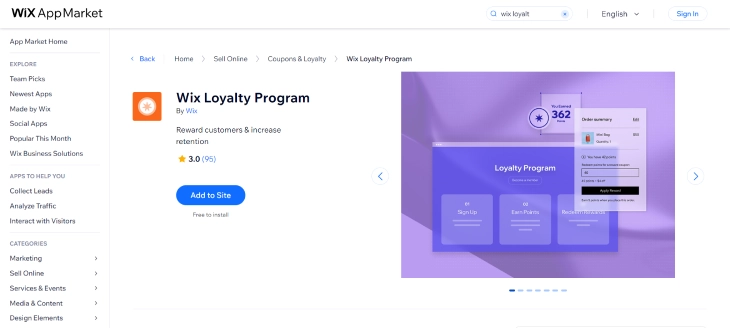
Managing the Wix Loyalty Program
Once your Wix rewards program is live, you manage everything from a single dashboard inside your Wix account. You can track customer points and redemptions, view analytics to see how the program is performing, and adjust rewards or promotions whenever you need to. The Wix Loyalty Program also ties into other Wix features like email marketing and social media tools through Ascend by Wix, so you can promote your program across channels from one place.
For stores that also sell in person, the loyalty program connects directly with the Wix POS system, so customers earn and redeem points whether they shop online or at your physical location. Points sync in real time across both channels.
One point worth clarifying: you can configure the program to award points when a customer refers a friend (by giving points for account sign-ups that come through a referral link), but the Wix Loyalty Program does not include a dedicated referral tracking dashboard. You can see that a new customer joined, but you cannot track the full referral journey. You cannot track who referred whom, which referral links are performing best. A dedicated referral platform like ReferralCandy would. For most small stores, the points-for-sign-up approach is sufficient.
Do Wix Loyalty Points Expire?
By default, Wix loyalty points do not expire. Members keep their points balance indefinitely unless you configure an expiration rule from the loyalty dashboard. This is good news for customer retention. Members who accumulate points over months are more likely to return to redeem them rather than letting them go to waste.
If you want points to expire (for example, to create urgency or reduce long-term liability), you can set an expiration window, typically 6 months, 12 months, or a custom period, from your loyalty program settings. When points approach expiration, the automated email feature can send a reminder to prompt members to spend before they lose their balance. This is a useful tactic for re-engaging inactive members without resorting to broad discounts.
What the Customer Experience Looks Like
Most loyalty program reviews focus on the store owner side. The customer experience matters just as much, because a confusing or invisible program won't drive repeat purchases.
When a customer joins your Wix loyalty program, here is what they see:
- Loyalty widget on product pages: A small widget displays their current points balance and shows how many points they will earn on the current purchase. This is visible while browsing, which reinforces the value of being a member during the buying decision.
- Dedicated loyalty page: Every Wix store with the loyalty program gets an auto-generated loyalty page at a URL like yourstore.com/loyalty. This page shows the program rules, available rewards, and the customer's current balance and history. You can link to this page from your navigation or homepage banner.
- Points balance in account area: Logged-in members can see their full points history: what they earned, what they redeemed, and when. Viewable from their customer account page on your site.
- Checkout redemption: When a customer has enough points for a reward, they can apply it at checkout. The redemption is handled automatically. No coupon code entry required. This frictionless redemption is one of the stronger aspects of the Wix loyalty experience compared to setups that require manual code copying.
- Email notifications: On the Core plan and above, customers receive automated emails when they join, when they earn a new reward, and when their points are close to expiring (if you enable expiration). These emails are customizable from your Wix dashboard.
The overall experience is clean and requires no action from the customer beyond logging in. The main limitation is that the loyalty widget and page look somewhat similar across all Wix stores that use it. Heavy customization of the loyalty UI is limited compared to what a dedicated platform like Smile.io allows.
How the Wix Loyalty Program Handles Returns
When a customer returns an order, the loyalty points earned on that purchase are automatically deducted from their balance. If the customer has already spent those points on a reward, the points deduction can bring their balance negative. Wix handles this by setting the balance to zero rather than going below zero, and the next purchases will rebuild from there.
For store owners, this means you don't need to manually adjust points after a refund. The system handles it. A few practical notes:
- Partial returns deduct points proportionally based on the refund amount.
- If a customer redeemed a reward on an order that gets fully returned, the reward is not automatically re-added to their account. You may need to manually adjust the balance from the loyalty dashboard.
- Points from non-purchase actions (account sign-up, reviews) are not affected by order returns.
For high-return-rate stores (clothing, footwear), make sure your reward thresholds account for the fact that some earned points will be reversed. Setting your first reward at a level that requires several completed purchases (not easily erased by a single return) keeps the program financially sustainable.
Key Features of the Wix Loyalty Program
The Wix loyalty program features fall into three categories: customizable rewards, automated emails, and analytics. Each one works without any coding or technical setup.
Customizable Rewards
You have full control over point values, redemption thresholds, and reward types. Here is what you can offer through the Wix rewards program.
Discounts
Offer discounts on specific products, product categories, or site-wide. For example, you might set up 100 points for a 10% discount, or 200 points for a flat $15 off. Discounts can be configured as a percentage or a fixed amount, and you set the minimum spend or point threshold required to redeem.
Free Shipping
Free shipping rewards are one of the most popular options because they directly reduce cart abandonment. Set a points threshold (say 150 points) and customers automatically earn free shipping on their next order. This is particularly effective for stores that sell physical goods with noticeable shipping costs.
Free Products
Offer free products as a reward for customers who hit a specific points milestone. This is a practical way to introduce customers to new inventory or clear slow-moving stock. For example, a coffee shop on Wix might offer a free bag of beans after a customer accumulates 300 points through repeat orders.
Custom Rewards
Create custom rewards tailored to your business. These can be anything from a free consultation to a special event invitation, early access to a new product line, or a personalized thank-you package. This flexibility is one of the standout Wix loyalty program features for service-based and creative businesses.
Automated Emails
The Wix Loyalty Program sends automated emails triggered by member actions. These save time and keep members engaged without you having to send messages manually. Available on the Core plan and above.
Welcome Email
When a customer joins your Wix rewards program, they receive a welcome email explaining how the program works and how to start earning points. You can customize the branding, messaging, and any introductory offer you want to include.
Points Balance Email
Periodic points balance emails remind members how many points they have and how close they are to their next reward. These are effective at bringing back customers who have not visited your store in a while, a gentle nudge that costs nothing to send.
Reward Redemption Email
When a member redeems a reward, they get a confirmation email that congratulates them and encourages continued shopping. This closes the reward loop and reinforces why the program is worth staying in.
Analytics and Reporting
The Wix Loyalty Program includes an analytics dashboard accessible from your Wix admin panel. Here is what you can track.
Member Activity
See individual member data: points earned, rewards redeemed, and total spend. This helps you identify your highest-value customers and spot patterns in how members interact with the program.
Program Performance
Track overall metrics including new sign-ups, total rewards redeemed, and revenue attributed to loyalty members. Use this data to measure whether the program is generating enough repeat purchases to justify any costs associated with the rewards you offer.
Customer Insights
See which rewards are most popular, which products loyalty members buy most often, and how member spending compares to non-member spending. This data helps you fine-tune your reward structure and stock the products your best customers want.
Tips to Get More From Your Wix Rewards Program
Installing the loyalty app is the easy part. Getting members to actually use it takes a bit more thought. Here are practical tips that make a real difference.
- Keep reward thresholds reachable. If a customer needs to spend $500 before earning their first reward, most will lose interest. Set your first reward at a level that a typical customer can hit within two or three purchases.
- Promote the program on every page. Add a loyalty widget or banner to your homepage, product pages, and checkout page. Customers cannot join a program they do not know about.
- Award points for non-purchase actions. Give points for creating an account, writing a product review, or sharing your store on social media. This increases engagement and gives new visitors a reason to sign up before they buy anything.
- Send points balance reminders monthly. The automated email feature does this for you, but make sure it is turned on. Customers who see they are close to a reward are much more likely to make another purchase.
- Use the analytics to prune underperforming rewards. If nobody is redeeming a particular reward after 90 days, replace it with something your customers actually want. Check the redemption data in the loyalty dashboard regularly.
- Pair it with Wix email campaigns. Mention loyalty points and available rewards in your regular marketing emails. A line like "You have 85 points, just 15 away from free shipping" can drive conversions from emails that would otherwise get ignored.
Who Should Use the Wix Loyalty Program?
The Wix Loyalty Program is not for every business. Here is a breakdown of who will get the most value from this Wix rewards program.
Great fit for:
- Small to mid-sized Wix eCommerce stores that want a native, integrated loyalty solution
- Businesses on a budget that cannot justify $49 to $159 per month for a standalone loyalty app
- Store owners who want a no-code setup without hiring a developer
- Wix merchants who already use Wix email marketing, POS, or automations and want everything in one ecosystem
- Service-based businesses on Wix (salons, studios, consultants) that want to reward repeat bookings
Not ideal for:
- Large eCommerce businesses that need VIP tiers, referral tracking dashboards, or gamification
- Multi-platform sellers who also use Shopify, WooCommerce, or other platforms alongside Wix
- Businesses that require deep third-party integrations with tools outside the Wix ecosystem
- Stores processing thousands of orders per month that need enterprise-grade loyalty segmentation
Wix Loyalty Program vs. Alternatives
Here is how the Wix Loyalty Program compares to the most popular standalone loyalty apps. If you are deciding between the built-in Wix option and a third-party tool, this breakdown will help.
Wix Loyalty Program vs. Smile.io
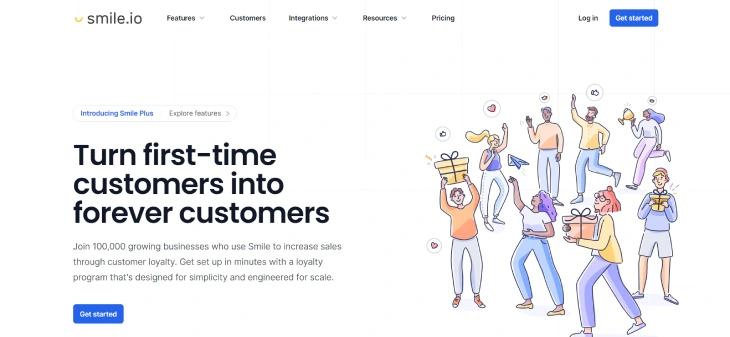
Smile.io is the go-to choice for stores that need referral programs, VIP tiers, and multi-platform support. It works with Shopify, BigCommerce, and Wix. However, Smile.io's paid plans start at $49 per month, and you need the Growth plan ($199/month) to access VIP tiers. For Wix store owners who only need a basic points-and-rewards setup, the native Wix loyalty program is a better value since it costs nothing extra.
| Feature | Wix Loyalty Program | Smile.io |
| Price | Included with Wix plan | Free plan available; paid from $49/mo |
| Points system | Yes | Yes |
| Referral program | Points for sign-ups only | Yes, with full tracking dashboard |
| VIP tiers | No | Yes (Growth plan, $199/mo) |
| Multi-platform support | Wix only | Shopify, BigCommerce, Wix |
| Built-in email integration | Yes (Wix email) | Requires third-party email tool |
| Setup difficulty | Very easy, no code | Moderate, some configuration needed |
Wix Loyalty Program vs. LoyaltyLion
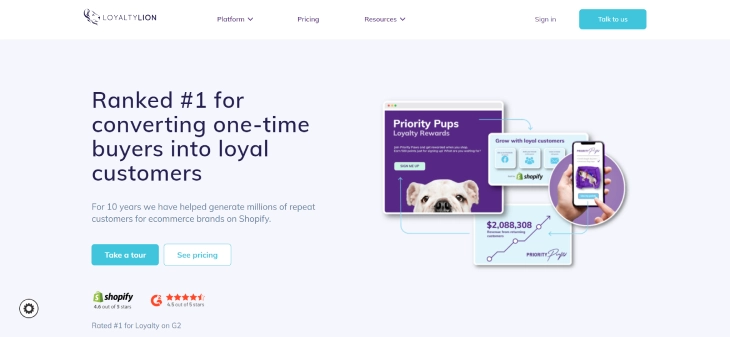
LoyaltyLion targets mid-market and enterprise eCommerce brands. It offers personalized rewards, gamification, and detailed segmentation that the Wix loyalty program does not have. But LoyaltyLion's paid plans start at $159 per month, and the platform is built primarily for Shopify and Magento stores. Unless you are running a high-volume store and need granular control over loyalty tiers and customer segments, the Wix rewards program will cover your needs at a fraction of the cost.
| Feature | Wix Loyalty Program | LoyaltyLion |
| Price | Included with Wix plan | Free plan available; paid from $159/mo |
| Points system | Yes | Yes |
| VIP tiers | No | Yes |
| Gamification | No | Yes |
| Custom segmentation | Basic | Advanced |
| Best for | Small to mid-sized Wix stores | Mid-market and enterprise brands |
| Setup difficulty | Very easy, no code | Moderate to complex |
Wix Loyalty Program vs. Yotpo
Yotpo (formerly Swell Rewards) combines loyalty, referrals, and reviews into a single platform. It is a strong option for Shopify stores that want an all-in-one retention tool. However, Yotpo's loyalty module is not available for Wix stores, so it is only relevant if you are considering migrating away from Wix. If you are staying on Wix, the native loyalty program paired with Wix Reviews gives you a similar combination of reviews and rewards without the added cost.
How to Promote Your Wix Loyalty Program
Setting up the Wix Loyalty Program is the easy part. Getting customers to actually join and use it requires deliberate promotion. Here are the most effective tactics.
Add a Points Banner to Your Homepage
A visible banner or announcement bar on your homepage explaining the loyalty program sets expectations for first-time visitors. Something like "Earn points on every purchase, redeem for discounts" is more effective than a buried FAQ link. Wix's promotion bar tool (under Marketing & SEO in your dashboard) lets you add this without any code.
Include Points Earned in Order Confirmation Emails
After a purchase, tell the customer how many points they earned and what they could redeem next. This reinforces that the program exists and motivates the next purchase. The Wix Loyalty Program sends automated emails, but adding a short note to your own Wix order confirmation email template increases visibility.
Promote the Program at Checkout
Customers who are already buying are the easiest audience to convert to loyalty members. If your Wix store lets you customize the checkout experience or order summary page, add a line like "Join the rewards program to earn points on this order." Even customers who are logged in may not be enrolled yet.
Use the "Points Balance" Email Strategically
The Wix loyalty dashboard lets you trigger a points balance email to members. Use this during slow sales periods or before a seasonal sale. A subject line like "Your 120 points expire at the end of the month" creates urgency without a discount. Members who have forgotten they have points are often the most motivated to act on a reminder.
Tell Members How Close They Are to the Next Reward
When a customer is logged in and browsing your store, showing their current points balance and how many more points they need for their next reward is a proven retention tool. Wix displays the loyalty widget on the storefront automatically for logged-in members, but making sure this widget is visible (not buried at the bottom of the page) makes a meaningful difference in engagement.
Final Verdict: Wix Loyalty Program Review
The Wix Loyalty Program is a capable, budget-friendly customer loyalty solution that works well for small to mid-sized businesses already on the Wix platform. Its key strengths are ease of use, native integration with Wix eCommerce and email tools, and the fact that it costs nothing beyond your existing Wix subscription.
The program has clear limitations. It lacks VIP tiers, a dedicated referral tracking dashboard, and deep third-party integrations that larger businesses need. If your store operates across multiple platforms or you need advanced gamification, a dedicated loyalty app like Smile.io or LoyaltyLion will be a better fit.
For Wix store owners who want a straightforward rewards program that customers can start using right away, the Wix Loyalty Program delivers. Combined with Wix email marketing, the Wix POS system for in-store redemptions, the Wix eCommerce toolset, and the Wix Affiliate Program for driving new traffic, it provides everything most small businesses need to build customer loyalty and drive repeat purchases.
* read the rest of the post and open up an offer