

Verdict: Wix Velo (renamed from Corvid in 2020) is Wix's full-stack JavaScript development platform, and it earns a recommendation for one specific audience: developers who want a real backend, database, and Node.js-style serverless functions stitched directly into a Wix site without leaving the editor. If you only need drag-and-drop, you don't need Velo. If you want to build dynamic pages, custom APIs, member portals, or product catalogs that pull from a live database , without spinning up your own server , Velo is one of the fastest paths there.
This Wix Velo review walks through what the platform actually does, who it's built for, code examples you can copy, pricing requirements, and how it compares to building the same features in WordPress or with a standalone JavaScript framework. By the end you'll know whether it fits your project, or whether you should stick with the standard Wix editor or go fully custom. (New to Wix? Start with our overview of why Wix is a popular CMS.)
What Is Velo by Wix?
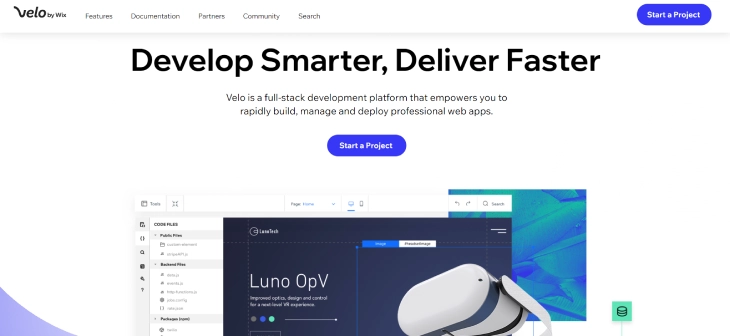
Velo by Wix is an open development platform that adds a JavaScript IDE, a built-in database (Wix Data), serverless backend functions, and access to npm packages on top of any Wix site. You write code in a panel inside the Wix editor, the code runs on Wix's hosted infrastructure, and you don't manage servers, deployment, or scaling.
If you've heard of Corvid, that's the same product. Wix renamed Corvid to Velo in June 2020, kept the same APIs (still imported as import wixData from 'wix-data' and similar), and expanded the developer tooling around it. Older tutorials labeled "Corvid" are still valid , only the brand changed.
Who Velo Is Actually For
- Wix developers and agencies who need to extend a client site beyond the editor's built-in widgets.
- Frontend developers who want a backend and database without standing up their own infrastructure.
- Small SaaS and member-portal builders who need auth, dynamic data, and forms but want fast time to launch.
- Marketers with JS skills who want to wire up custom analytics events, third-party APIs, or personalization rules.
It's not a great fit if you've never written JavaScript, or if you need fine-grained control over routing, build pipelines, or hosting region.
Wix Velo: Pros and Cons Overview
Velo is a versatile platform with a generous free tier of developer features, but it has real limits around design control, performance, and lock-in. Here's the honest breakdown:
Pros |
Cons |
|
|
Key Features of Wix Velo
Velo splits into four practical areas: data, code, business, and marketing. Here's what each one actually gives you, with examples where they help.
Database (Wix Data)
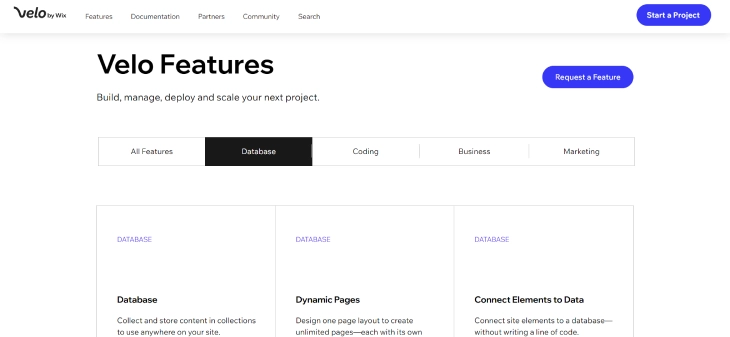
Wix Data is a NoSQL-style collection store you create in the editor. Each collection has fields, permissions, and hooks. You query it from page code, backend code, or external clients.
A simple query from page code looks like this:
import wixData from 'wix-data';

$w.onReady(() => {
  wixData.query('Products')
    .eq('inStock', true)
    .limit(20)
    .find()
    .then(results => {
      $w('#repeater1').data = results.items;
    });
});
You also get data hooks (beforeInsert, afterQuery, etc.) for validation and side effects, plus reference fields to model relationships between collections.
Coding (Backend, Web Modules, npm)
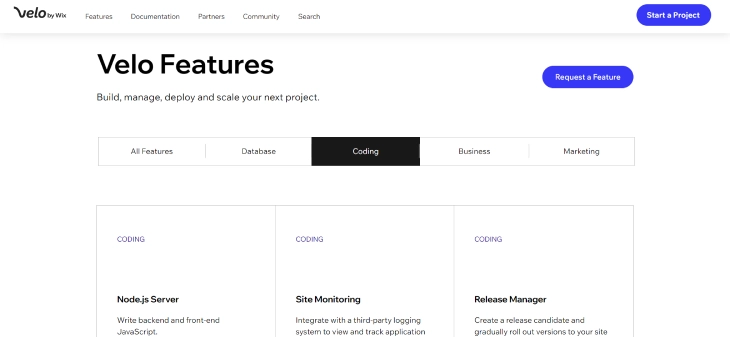
Backend code lives in .jsw "web modules" , exported async functions you can call directly from the frontend. A web module that calls an external API:
// backend/weather.jsw
import { fetch } from 'wix-fetch';

export async function getWeather(city) {
  const key = 'YOUR_API_KEY';
  const res = await fetch(
    `https://api.openweathermap.org/data/2.5/weather?q=${city}&appid=${key}`
  );
  return res.json();
}
From a page, you import and call it like a normal function , Velo handles the HTTP round-trip and keeps your API key on the server. You can also expose public HTTP endpoints via http-functions.js to receive webhooks from Stripe, Zapier, or any other service.
Dynamic Pages
Dynamic pages turn a single template into thousands of URLs by binding a route pattern (e.g., /products/{slug}) to a database collection. This is how most Velo-powered catalogs, directories, and member profile pages get built. You design the page once, and Wix generates a URL for every row in the collection.
Business and Marketing
On top of the dev platform, Velo inherits Wix's commerce stack , Wix Stores, Bookings, Members, payments through Stripe, PayPal, and Wix Payments , and the standard SEO controls (custom meta tags, structured data via Velo code, sitemaps, redirects). You can hook into purchase or booking events with backend code to trigger custom workflows like a referral payout or a CRM sync.
Wix Velo Tutorial: Three Things to Build First
If you're learning Velo, skip the toy "hello world" and build something useful. These three projects cover most of the APIs you'll touch on real client work:
- Custom contact form with email + database storage. Use a form on a page, validate inputs in
onSubmit, save to a Wix Data collection, and trigger a notification throughwix-crm-backend. (See our walkthrough on how to build a custom contact form on Wix.) - Dynamic product or directory page. Create a collection, add 5–10 rows, build a dynamic page bound to a slug field, and populate it with repeaters and dataset connections.
- Members-only content. Use
wix-membersto gate a page, then query a collection filtered by the current member's ID to show personalized data.
Wix Velo Pricing and Plan Requirements
Velo itself is free to develop with , every Wix account can write code in the editor. To publish Velo features (database queries on a live site, backend functions, custom domain), you need a paid Wix Premium plan. The Light plan is the entry point; if you plan to handle real traffic or commerce, the Core or Business plans are more realistic. For a full breakdown of the tiers, see how much Wix costs.
One easy gotcha: backend functions and Wix Data have monthly read/write quotas tied to your plan. High-traffic apps can hit those limits, so check the quota table before committing to Velo for a busy site.
Wix Velo vs Alternatives
The right comparison depends on what you'd build instead. Here's how Velo stacks up against the three most common alternatives:
- Velo vs custom WordPress development. WordPress gives you total control of code, hosting, and plugins, plus a much larger ecosystem. Velo gives you faster setup, no server maintenance, and a unified editor. Pick WordPress when you need plugin breadth or self-hosting; pick Velo when you want speed-to-launch and don't want to manage infrastructure.
- Velo vs Webflow with custom code. Webflow has stronger design control and cleaner output HTML; Velo has a real backend, database, and serverless functions baked in. If your project is a marketing site with light interactivity, Webflow wins. If it needs auth, dynamic data, or custom APIs, Velo is the simpler stack.
- Velo vs a standalone JavaScript framework (Next.js, Remix, SvelteKit). A framework wins on flexibility, performance, and avoiding lock-in , but you also handle hosting, auth, database, CI/CD, and a CMS layer yourself. Velo trades all that flexibility for one-stop hosting and a visual editor your client can actually use.
- Velo vs Wix Studio. Wix Studio is the agency-focused successor to Editor X, and Velo runs inside Studio too. If you're building for clients, Studio + Velo is usually the better combo than the classic editor.
Wix Velo Examples in the Wild
Real Velo builds tend to fall into a few patterns: searchable directories (real estate, medical providers, restaurant menus), members-only content portals, custom booking flows that go beyond Wix Bookings, lead-routing forms that push into a CRM, and small SaaS dashboards. The Wix Showcase and the Velo Examples gallery in the official docs are good places to see live builds and copy patterns.
Working as a Wix Velo Developer: Practical Workflow Tips
If you're using Velo on client projects rather than building a personal site, a few workflow habits make a significant difference to how smoothly the work goes.
Keep a Copy of Your Code Outside the Velo IDE
Velo has no Git integration. You can't branch, diff, or roll back to a previous commit from inside the editor. The practical fix: write code in VS Code locally, then paste it into the Velo editor when it's ready to test. This gives you search-and-replace, multi-file navigation, and your preferred linting without giving up the ability to run the code in Wix's environment. Treat the Wix editor as the deployment target, not the primary editor.
Use a Separate Development Site for Testing
Wix doesn't include a staging environment. The workaround is maintaining a development site on a separate Wix account or Premium plan, testing your changes there, then copying them to the live client site. This isn't elegant, but it prevents the most common Velo failure mode: breaking a live site while testing a new feature on it.
Store All API Keys in wix-secrets-backend
Wix provides a Secrets Manager accessible through wix-secrets-backend for API keys, webhook secrets, and credentials. Never hardcode secrets in backend modules. Rotating a secret stored in code means touching every file that references it; a centrally managed secret needs one update. Set the value once in the Wix dashboard Secrets Manager, then import it by name in your backend code.
Include Plan Costs in Client Project Estimates
Velo features require a paid Premium plan to run on a live site. When scoping a Velo project, build the plan cost into the estimate from the start. A Business or Business Elite plan is appropriate when the project involves a high-volume database, significant traffic, or a member portal. Surprising a client with an ongoing subscription cost after launch creates friction that a line item in the original quote avoids entirely.
What Wix Velo Developer Rates Typically Look Like
Velo developers generally bill at a premium over standard Wix template customization. Rates vary widely by project complexity and geography, but expect the following rough ranges:
- Simple Velo features (one dynamic page, one API integration): $500–$2,000 per project
- Mid-complexity builds (member portal, searchable directory, multi-step custom form): $2,000–$6,000
- Full Velo apps (custom SaaS layer, complex data relationships, multiple API integrations): $6,000–$20,000+
- Hourly rates: $75–$175/hour for experienced Velo developers in North America and Europe
These figures are estimates for scoping purposes. The actual cost depends on how much logic lives in the backend, how many third-party integrations are involved, and how much client-side testing is required before launch.
Learning Resources
The official Velo by Wix documentation is the best starting point , it has API references, tutorials, and a sandbox. Beyond that, useful resources include the Velo YouTube channel for video walkthroughs, the Wix Velo Forum for community Q&A, and the GitHub repos under the wix-incubator org for sample code. If you're still building the surrounding Wix site, our guide on how to add HTML code on Wix covers the lighter-weight alternative when you don't need full Velo.
Common Mistakes to Avoid
- Putting API keys in page code. Anything in
$w.onReadyships to the browser. Keep secrets in backend web modules and read them fromwix-secrets-backend. - Querying the database on every page load without caching. This eats your quota fast. Cache aggressively in backend code and prefer
wixData.query().limit()over fetching everything. - Skipping data hooks for validation. Frontend validation is bypassable. Always re-validate in
beforeInsertor backend functions. - Treating Velo like a standalone framework. You're inside Wix's runtime , embrace it instead of fighting selectors and the dataset API.
Real-World Wix Velo Projects: What Developers Actually Build
Theory is useful, but seeing concrete project types helps you decide whether Velo fits your actual work. Here are the most common projects developers build with it:
- Searchable directories. Real estate listings, medical provider finders, restaurant menus, and business directories. A Wix Data collection holds the records, dynamic pages generate a URL per row, and a frontend repeater with filter inputs lets visitors search and sort. This pattern is one of Velo's clearest strengths over plain Wix.
- Member portals and gated content. Login-protected dashboards where members see data specific to their account. Velo's
wix-membersAPI gives you the current member's ID, which you use to filter a personal data collection and show only their records. Insurance brokers, personal trainers, and subscription platforms use this frequently. - Custom booking and inquiry flows. Forms that go beyond Wix Forms: conditional logic, multi-step flows, dynamic pricing calculations, and immediate API calls to a CRM or notification service. A web module handles the backend logic so the form can call Stripe, Slack, or HubSpot without exposing API keys.
- Lead routing and CRM sync. When a form submits, a backend function classifies the lead and pushes it to different places: high-value leads to a Slack channel, all leads to a Google Sheet via the Sheets API, and a follow-up email via SendGrid. Velo makes this straightforward because the backend function can call any external API using
wix-fetch. - Lightweight SaaS dashboards. Small tools hosted on a Wix site: a keyword tracker, an SEO audit scratchpad, or a client reporting view that pulls data from an external API and presents it in a clean table. These work well when the client already has a Wix site and wants a tool layered on top without a separate app.
Wix Velo Limitations: What You Can't Do
Velo is powerful, but it has firm constraints you'll hit in real projects. Knowing these before you start saves you from architectural decisions you'll regret later.
Execution time limits: Backend functions time out after 14 seconds. If you're building a job that processes large datasets, sends bulk emails, or calls a slow external API, you'll need to break it into smaller chunks or use a queue architecture. One-shot functions that run to completion in under 10 seconds are the safe zone.
No filesystem access: Backend code runs in a serverless environment with no persistent disk. You can't write files to a temp directory and read them back later. If you need file manipulation (PDF generation, image resizing), you'll use an external service like Cloudinary or PDF.co via HTTP call, not native filesystem code.
npm package restrictions: Not every npm package works. Packages that require native bindings (C++ addons), packages that spawn child processes, or packages that need write access to the filesystem will fail. Stick to pure JavaScript packages and verify compatibility before building around any library.
Data storage quotas by plan:
- Free: 50 records per collection
- Light: 50,000 records per collection
- Core: 100,000 records per collection
- Business: 1,000,000 records per collection
- Business Elite: 10,000,000 records per collection
If you're building a product catalog with thousands of SKUs, or a member portal where users generate rows of data, plan your tier accordingly. Hitting a collection limit in production will break your site's data operations.
No data export: Wix collections don't have a native CSV or SQL export built into the database layer. You can export via the Wix dashboard, but there's no API endpoint that dumps a full collection. If data portability is a priority, write your own export endpoint from day one.
No version control: Velo code lives in your Wix editor, not in a Git repo. There's no native branching, no pull requests, and no diff history. For small projects this is manageable. For teams or anything complex, you'll want to maintain a parallel copy in a code editor and treat the Wix editor as the deployment target.
Wix Velo SEO: What Developers Need to Know
Velo-powered pages can rank, but only if you handle the SEO layer correctly. The platform makes several things easy and a few things tricky.
Dynamic pages are indexable: Wix renders dynamic pages server-side, which means Googlebot can read them without executing JavaScript. A product catalog built on Velo with dynamic routes will get crawled normally. You don't need a separate SSR setup.
Setting structured data programmatically: For rich snippets (reviews, products, FAQs, events), use wixSeo.setStructuredData() in your page code to inject schema markup at render time. This is cleaner than hardcoding JSON-LD in the HTML and lets you generate schema from your actual database values.
Warmup data for faster page loads: wixWindow.warmupData lets you pass data from the server rendering phase to the client without making a second API call. Use it for content that's needed on initial load and doesn't change based on user interaction. Fewer API calls on load means faster LCP scores.
Sitemap generation: Wix automatically generates a sitemap for dynamic collection pages. You don't need to build one manually. But if you have custom routes or pages with noindex set, verify in Google Search Console that the right pages are included and excluded.
Canonical URLs: Wix handles canonical tags automatically for standard pages. For dynamic pages with query strings (e.g., filtered views), make sure your URL structure is consistent and doesn't generate duplicate canonicals pointing to different filtering combinations.
Page title and meta descriptions on dynamic pages: Use wixSeo.setCurrentPageSeoData() to set the title and meta description dynamically based on the content of each page instance. A product page titled "Red Leather Chair | My Shop" ranks better for that specific product than a generic "Product | My Shop".
Is Wix Velo Worth It? Who Should Use It and Who Shouldn't
Velo is a good fit for a specific type of project. Knowing whether you're in that category before starting saves weeks of rework.
Use Velo when:
- You're building a site that a non-developer needs to update content on after you're done. Velo handles the custom logic while the client edits text and images through the Wix editor without touching code.
- You need backend functionality (APIs, database writes, authentication hooks) but don't want to manage a server or pay for hosting infrastructure. Velo's serverless backend is included in Wix Premium plans.
- Your project is a member portal, a dynamic catalog, a custom booking flow, or a form that writes to a database. These are Velo's strongest use cases.
- Your timeline is short. Velo removes the setup overhead of hosting, deployment pipelines, and environment configuration. You write code and it runs.
Don't use Velo when:
- You need full stack freedom. If your project requires custom server middleware, WebSocket connections, background workers, or packages that won't run in Velo's sandboxed environment, you'll fight the platform constantly.
- Data portability is a hard requirement. Your data lives in Wix's infrastructure. If you anticipate needing to move the whole site to a different platform in 18 months, starting on Velo makes that migration significantly harder.
- You're building a high-traffic site with performance requirements that require CDN customization, edge caching control, or server-side rendering with full control over the stack. Wix manages this infrastructure for you, and you can't tune it.
- The team has deep React or Next.js experience. Velo has its own patterns and APIs. For a team that already knows a full-stack JavaScript framework well, the learning curve and constraint trade-offs often aren't worth it.
For a mid-sized project where a client needs an editable site with some custom data logic, Velo is often the fastest path from concept to launched product. The lock-in is real, but so is the time savings. Pair it with the right plan for your data requirements, keep API secrets in backend modules, and you'll build something that's both maintainable and extendable.
* read the rest of the post and open up an offer