

Yes, Wix Logo Maker is free to design and preview logos, but downloading any usable, high-resolution file requires a one-time payment starting at $20. The free tier covers the AI logo generator, the full editor, the template library, mockup previews, and a low-resolution PNG download with a Wix watermark. To get a print-ready file, vector formats, transparent backgrounds, or commercial usage rights, you need the Basic ($20) or Advanced ($50) plan.
This guide breaks down exactly what you get free vs. paid, the file formats and resolutions in each tier, the gotchas most people miss (watermark placement, ownership rights, low-res previews), the refund policy, and how Wix Logo Maker stacks up against Canva, Looka, Hatchful, and Tailor Brands.
What Is the Wix Logo Maker?
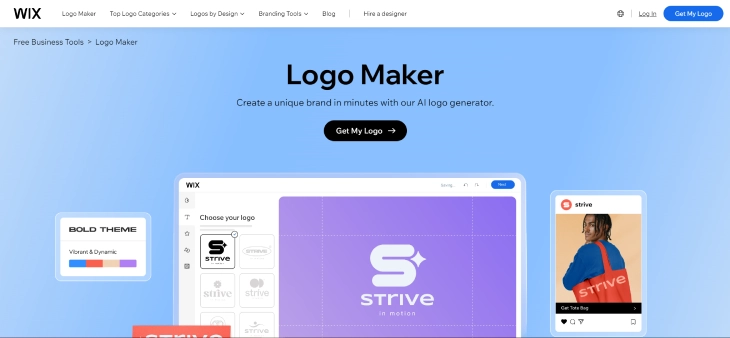
The Wix Logo Maker is an AI-powered online tool developed by Wix that helps anyone create a professional logo without design experience. It works by asking a few questions about your business name, industry, and style preferences, then generates a set of logo concepts you can customize.
If you want a full walkthrough of how the editor works, check out our step-by-step guide to Wix Logo Maker. This article focuses on what is actually free, what costs extra, file formats per tier, refund terms, and how the pricing compares to alternatives.
Free Preview vs. Paid Downloads: What Each Tier Actually Gives You
Most "free logo maker" tools follow a freemium model where the design experience is free but the usable output is paid. Wix Logo Maker fits this pattern. Here is the exact split between what you get without paying and what is locked behind each paid tier:
What's Free (No Payment, No Credit Card Required)
- AI logo generator: Enter a business name and industry, get 10-15 generated logo concepts.
- Full editor access: Change fonts, colors, icon, layout, spacing, and tagline on any concept.
- Template library: Browse hundreds of templates organized by industry.
- Built-in icon and shape library: Choose from Wix's stock icons (custom uploads are not supported on any tier).
- Mockup previews: See your logo on business cards, social profiles, T-shirts, and websites.
- Save your design: Wix saves your logo to your account so you can return and edit later.
- Low-resolution PNG download: Roughly 200x200 pixels with a small "Made with Wix" watermark.
What the $20 Basic Plan Unlocks
- High-resolution PNG file: Approximately 500x500 pixels, suitable for websites and social profile photos.
- Standard JPG file: Same resolution as the PNG, with a solid background.
- Watermark removed: No "Made with Wix" tag.
- Full commercial usage rights: Use the logo on products, packaging, marketing, and your business website.
- Standard customer support: Email support for download or file issues.
What the $50 Advanced Plan Unlocks (Everything in Basic, Plus)
- SVG vector file: Scales infinitely without losing quality. Required for print, signage, and embroidery.
- PDF file: For sharing with print shops or design partners.
- Transparent background PNG: Useful for placing the logo over photos or colored backgrounds.
- Pre-sized social media files: Logos formatted for Facebook, Instagram, X (Twitter), YouTube, and LinkedIn profile dimensions.
- Color variants: Black, white, and brand-color versions of your logo.
- Editable for life: Return to the editor any time and revise the logo. Basic plan downloads are final.
Free Wix Logo Maker File Formats and Resolutions
One of the biggest sources of confusion is what kind of file you actually receive at each tier. Here is the breakdown:
| Tier | PNG (raster) | JPG | SVG (vector) | Transparent BG | |
|---|---|---|---|---|---|
| Free | ~200x200, watermarked | No | No | No | No |
| Basic ($20) | ~500x500, no watermark | Yes | No | No | No |
| Advanced ($50) | High-res, multiple sizes | Yes | Yes | Yes | Yes |
If your logo is going on a printed item larger than a business card (signage, packaging, vehicle wraps, T-shirts), you almost certainly need the SVG file from the Advanced plan. Print shops require vector files because raster PNGs blur when scaled.
Step-by-Step: What's Actually Free in the Wix Logo Maker Workflow
If you have never used Wix Logo Maker before, here is the exact path through the tool and the point where the paywall appears:
- Visit the Wix Logo Maker page and click "Start Now." Free, no account required to begin.
- Enter your business name and tagline. Free.
- Pick your industry and style preferences. Free. The tool uses these to seed the AI.
- Choose 5 sample logos you like from a swipe-style picker. This trains the generator on your taste. Free.
- Browse the AI-generated concepts. You'll see 10-15 designs. Free.
- Open the editor and customize. Change fonts, colors, icon, spacing. Free.
- Preview on mockups. Business cards, social profiles, websites, merch. Free.
- Create a free Wix account to save your design. Free, but required to save and return later.
- Click "Download": paywall appears here. The free option is a small, watermarked PNG. Everything else requires payment.
You can spend hours in steps 1-8 without entering any payment information. The only true gate is the download itself.
Common Gotchas Most People Miss
The Wix Logo Maker free tier is straightforward, but there are a few surprises buyers and free users frequently run into:
- The free PNG is too small for almost any real use. At roughly 200 pixels wide, it works as a thumbnail but blurs the moment you place it in a website header or business card design.
- The watermark sits on the visible logo, not in a corner. "Made with Wix" appears below the design itself, making the free file unusable for any public-facing context, including a casual social profile.
- Ownership and licensing are conditional on payment. Wix's terms state you do not own the rights to the logo until you purchase a plan. Even if you only use the free preview internally, you do not hold a commercial license.
- The Basic plan does not include vector files. Many buyers assume $20 covers SVG, but it does not. If you need a print-ready vector, you must pay $50 for Advanced.
- Logos cannot be trademarked from the free version. To file a trademark application, most jurisdictions require you to own the design outright, which only happens after purchase.
- Custom image uploads are blocked on every tier. If you have a hand-drawn icon or photograph you want included, Wix Logo Maker will not let you upload it. Use Canva instead for that.
- The Basic plan is final. Once you download the Basic-tier files, you cannot return and re-edit. Only Advanced gives you ongoing editing.
- Pricing is per logo, not per account. If you want a second logo for another business, you pay again.
Wix Logo Maker Refund Policy
Wix offers a 14-day money-back guarantee on Logo Maker purchases, but with one critical condition: you must not have downloaded the high-resolution files. Once you download, the purchase is considered fulfilled and is no longer eligible for refund.
To request a refund within the 14-day window, contact Wix support through your account dashboard and reference the Logo Maker purchase. Refunds are processed back to the original payment method and typically appear within 5-10 business days. There is no auto-renewal to cancel because Wix Logo Maker plans are one-time purchases, not subscriptions.
If you have already downloaded the file but are unhappy with the result, your options are limited. You can re-edit the design (Advanced plan only) or contact support to ask about a goodwill credit, though this is granted case by case and not guaranteed.
Wix Logo Maker Pricing: Plans at a Glance
Both Wix Logo Maker plans are one-time purchases, not subscriptions. There are no recurring fees and no auto-renewals. For the ongoing monthly costs of running a Wix site, see our full breakdown of how much Wix costs in 2026.
Basic | Advanced | |
Price | $20.00 (one-time payment) | $50.00 (one-time payment) |
Key Features | Full commercial usage rights Standard high-res logo files (PNG, JPG) No Wix watermark | All features of Basic Revisable logo files (edit anytime) Social media-sized logo files Vector SVG files for print Transparent background PNG Black, white, and color variants |
Best For | Individuals or small businesses who need a clean, commercial-ready logo file for digital use only | Businesses that need a full branding kit with social assets, print-ready vectors, and the ability to revise the logo later |
Which Use Cases Is Wix Logo Maker Best For?
Wix Logo Maker is not the right tool for every situation. Here is a breakdown of which use cases it serves well and which ones need a different approach:
Good Fit: Digital-Only Small Businesses
If your logo will only ever appear on your website, email signature, and social media profiles, the Basic plan at $20 covers everything. A 500x500 PNG is large enough for website headers, profile photos, and digital marketing materials. Restaurants adding a logo to their website, consultants building a portfolio, and freelancers launching a personal brand all fall into this category.
Good Fit: Startups Needing a Placeholder Logo
Early-stage startups that need something professional-looking for pitch decks, investor presentations, and initial branding but plan to hire a designer later can use the Basic plan as an affordable placeholder. The $20 cost is negligible compared to the cost of a freelance designer, and you retain commercial rights for anything you build in the meantime.
Good Fit: Physical Products and Print (Advanced Plan)
If you sell physical products, run a brick-and-mortar location, or need your logo on signage, packaging, or T-shirts, the Advanced plan at $50 gives you the SVG vector file that print shops require. This covers most product-based small businesses: food brands, clothing lines, and local retail stores.
Not a Good Fit: Highly Specific or Custom Brand Identities
If your brand requires a logo with a custom illustration, a hand-lettered wordmark, or specific visual elements tied to your industry (medical, legal, luxury goods), Wix Logo Maker's template-based approach will feel limiting. The tool generates logos from a fixed library of icons and fonts. For genuinely unique brand identities, a freelance designer on Fiverr or 99designs will give you options Wix simply cannot.
Not a Good Fit: Multi-Logo Brands
Because pricing is per logo (not per account), brands that need separate logos for multiple product lines or subsidiaries will find the cost adds up quickly. A company needing 5 logos would spend $100-$250 on Wix Logo Maker vs. a fixed freelance fee that might cover all five.
When Is the Paid Plan Worth It?
The free version of Wix Logo Maker works well if you just want to experiment or see what AI-generated logos look like for your brand. The paid plan becomes worth it in these situations:
- You need the logo for business use: The free version restricts commercial use. If you plan to put the logo on a website, packaging, or marketing materials, you need at least Basic at $20.
- You need high-resolution files: The free download is low-resolution and not suitable for print. Basic gives standard high-res; Advanced includes vector formats.
- You want a clean file without watermarks: The Wix branding on the free version is not removable without upgrading.
- You need print-ready vector files: Only Advanced ($50) includes SVG, which is what print shops require.
- You need social media-ready files: Advanced includes pre-sized files for Facebook, Instagram, X, and other platforms.
- You might revise the logo later: Only Advanced lets you come back and edit. Basic downloads are final.
- You want trademark protection: You must own the design to apply for a trademark, which requires purchase.
For most small businesses and freelancers, the $20 Basic plan offers enough to get a usable, commercial-grade logo for digital use. The $50 Advanced plan is better suited for businesses that want a complete branding package, will use the logo in print, or expect to revise it over time.
How Wix Logo Maker Compares to Free Alternatives
Wix Logo Maker is one of several AI and template-based logo tools with a free tier. Here is how each one handles the free vs. paid split:
Wix Logo Maker vs. Canva (Free and Pro)
Canva offers a free logo maker as part of its broader design platform. The free tier gives you thousands of templates, a drag-and-drop editor, and the ability to download PNG files at reasonable resolution without watermarks. Canva also allows commercial use of free-tier logos. Canva Pro at $13/month adds transparent backgrounds, the brand kit feature, and a wider stock library, but you do not need Pro for a basic usable logo. This makes Canva's free offering more generous than Wix Logo Maker's free tier for downloads. Wix's edge is the AI generator that proposes designs for you rather than asking you to start from a blank template.
Wix Logo Maker vs. Looka (Free Trial and Premium)
Looka (formerly Logojoy) is an AI-powered logo maker similar to Wix. You can design for free, but downloads require payment. Looka's Basic Logo Package is $20 for a single low-resolution PNG, making Wix's $20 Basic plan a better deal since it includes high-resolution files at the same price. Looka's Premium Logo Package ($65) and Brand Kit Subscription ($96/year) include extras similar to Wix Advanced but at higher prices. There is no free download tier on Looka beyond a small preview image.
Wix Logo Maker vs. Shopify Hatchful (Fully Free)
Shopify's Hatchful is completely free and lets you create and download logos at no cost, including high-resolution files and commercial use rights. The tradeoff is fewer customization options and a smaller template library compared to Wix Logo Maker. If your only goal is to get a free, usable logo as quickly as possible, Hatchful is worth trying. If you want more design control and AI-generated concepts, Wix Logo Maker or Canva offer better editing tools.
Wix Logo Maker vs. Tailor Brands
Tailor Brands offers a free design tier but requires a subscription starting at $9.99/month to download files. Unlike Wix's one-time purchase model, Tailor Brands keeps charging monthly, which can add up over time. Wix's one-time $20 or $50 ends up cheaper for most users who only need one logo.
Quick Comparison Summary
| Feature | Wix Logo Maker | Canva | Looka | Hatchful | Tailor Brands |
|---|---|---|---|---|---|
| Free design access | Yes | Yes | Yes | Yes | Yes |
| Free high-res download | No | Yes | No | Yes | No |
| Free commercial use | No | Yes | No | Yes | No |
| AI-generated designs | Yes | No | Yes | No | Yes |
| Vector (SVG) included | $50 plan | Pro plan | $65 plan | No | Paid |
| Pricing model | One-time | Free / $13mo | One-time | Free | Subscription |
| Paid plan starting price | $20 | Free (Pro $13/mo) | $20 | Free | $9.99/mo |
Limitations of the Free Version
To summarize the specific restrictions of the Wix Logo Maker free version:
- Low-resolution files only: The free download is a small PNG that is not print-ready and may appear blurry when scaled up.
- Wix watermark on the visible logo: The "Made with Wix" mark sits below your design, not in a corner you can crop.
- No commercial usage rights: You cannot legally use the free logo on products, marketing materials, or your business website.
- No custom image uploads: You are limited to Wix's built-in icon and shape library on every tier, free or paid.
- No vector or transparent file: SVG, PDF, and transparent PNG formats are paid only.
- No social-media-sized files: Pre-sized assets for Facebook, Instagram, etc. require Advanced.
- Standard support only: Free users do not get priority customer support.
These limitations are common among freemium logo makers. The free tier is essentially a try-before-you-buy experience that lets you confirm the design works before committing money.
Basic vs Advanced: Which Plan Should You Choose?
Once you decide to buy, the choice between Basic ($20) and Advanced ($50) comes down to a few practical questions. Here is a decision framework based on the most common situations:
- If you only need a logo for a website and social media: Basic is enough. The 500x500 PNG handles headers, profile photos, and social banners at standard digital sizes without any quality issues.
- If you need to print anything larger than a business card: Go straight to Advanced. Print shops require vector SVG files, which only Advanced includes. Raster PNGs blur when scaled past their native resolution, making them unsuitable for signage, packaging, or merchandise.
- If you might want to update the logo in the next 12-18 months: Advanced is the safer choice. Basic downloads are final. Once you download, you cannot return to the editor and make changes. Only Advanced keeps the logo editable.
- If you are registering a trademark: Both plans work, but you must purchase before filing. The free tier does not grant ownership rights, so neither plan gives you an advantage over the other here. Either one transfers the commercial rights you need to support a trademark application.
- On the $30 difference: For most solopreneurs and small businesses, spending $50 upfront vs. $20 now and $50 later (if you need SVG eventually) costs the same in total but requires more steps the second time around. If there is any chance you will need print files, Advanced saves you the hassle.
A quick test: Can you answer "Will this logo appear on anything physical, such as signage, merchandise, or packaging?" If yes, choose Advanced. If no, Basic covers everything you need.
What to Do After Downloading Your Wix Logo
Most guides stop at the download. But getting the file is only half the job. Here is a practical checklist of what to do with your new logo once you have it, covering steps that most "is it free" articles skip entirely.
Set Up Your Logo on Your Wix Website
If your site runs on Wix, go to Site Settings and look for the Logo option. Upload your PNG there and it will appear across your site header automatically. While you are in Site Settings, update your Favicon with a square-cropped version of the logo. The favicon is the small icon that appears in browser tabs, and using your logo there reinforces brand recognition in a subtle but consistent way.
Add Your Logo to Wix Email Marketing
Inside the Wix Email Marketing tool, you can set a default logo that appears at the top of every campaign you send. Go to your email editor, open the header block, and replace the placeholder with your new logo file. Every outgoing email then carries your brand without any extra effort per campaign.
Update Your Social Media Profiles
Each platform has different image requirements, but the general approach is the same. For your profile photo, use a square crop of the logo centered on the icon or wordmark. For cover photos, you will need a wider crop or a version of the logo placed on a branded background. If you purchased the Advanced plan, Wix pre-exports files sized for Facebook, Instagram, X, and LinkedIn, so you can skip the manual resizing step.
Add Your Logo to Google Business Profile
If your business has a Google Business Profile (formerly Google My Business), log in and add the logo as your primary business photo. Google displays this image in local search results and on Google Maps. A clear, recognizable logo here builds credibility when potential customers find you in search.
Build a Basic Brand Kit
Before closing the Wix Logo Maker editor, note down two things: the exact color codes used in your logo (Wix displays the hex values in the color picker) and the font names shown in the font selector. Save these in a simple text file or note. These two pieces of information, your brand colors and your brand fonts, form the foundation of a brand kit you can use consistently across your website, social profiles, email templates, and printed materials.
If you need the color codes from a downloaded file rather than the editor, open the logo in any design app (Canva, Figma, or even Google Slides) and use the eyedropper tool to sample the exact color values.
Consider Trademark Registration
If this logo will be central to your business identity and you are operating commercially, it is worth exploring trademark registration. In the United States, applications go through the USPTO. In the European Union, the EUIPO handles registration. Filing costs vary, but the process starts with confirming you own the design outright. That ownership transfers when you purchase a Wix Logo Maker plan, so the Basic or Advanced purchase is a prerequisite before you can file. Trademark protection is not urgent for every business, but if your brand name and logo are closely tied to your reputation or products, registering early prevents disputes later.
Is Wix Logo Maker Worth It? The Bottom Line
The Wix Logo Maker is free to use for designing and previewing logos, but it is not free if you need a usable file for your business. The free version lets you explore the full editor, customize AI-generated designs, and preview mockups, but the only download you get is a small, watermarked PNG with no commercial license. To get a high-resolution, watermark-free logo with full ownership rights, you need the Basic plan at $20 or the Advanced plan at $50, both as one-time payments with a 14-day refund window (provided you have not yet downloaded the files).
Compared to alternatives, Wix Logo Maker sits in the middle: tools like Canva and Hatchful offer more generous free downloads, while Looka and Tailor Brands cost more for less. If you value the AI-generated design experience and only need a digital logo, the $20 Basic plan is fair. If you need print-ready vectors or social media kits, go straight to Advanced. Explore Wix's free templates and latest design standards to get a feel for the platform before you commit.
* read the rest of the post and open up an offer