

A Wix app is a third-party or first-party integration that plugs directly into your Wix website to add new features, automate tasks, and extend your site's capabilities beyond what the base platform offers. Whether you want to open an online store, accept bookings, build contact forms, or chat with visitors in real time, there is a Wix app designed to do exactly that.
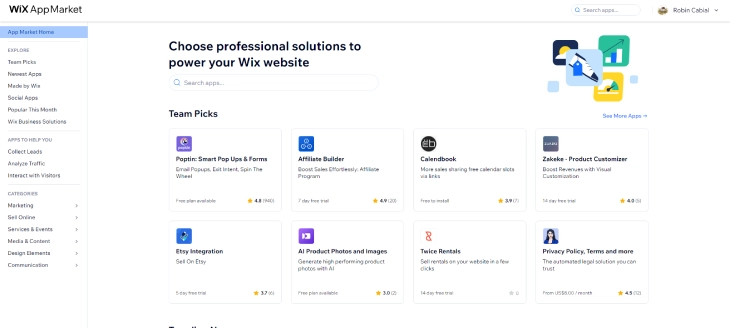
All Wix apps live in one place: the Wix App Market. With hundreds of options spanning eCommerce, marketing, design, and productivity, the App Market lets you build a fully customized website without writing a single line of code. This guide explains what Wix apps are, how they work, which ones are most popular, and how to manage them once installed. For a curated shortlist, also see our roundup of the best Wix App Market apps.
- Wix apps can be free or premium, depending on the features.
- Wix apps cover various categories like marketing, design, and eCommerce.
- Many apps offer customization options to suit your needs.
- You can install, manage, and remove apps at any time from your site's dashboard.
Understanding Wix Apps
Wix apps are essentially integrations, built by Wix or by independent developers, that slot into your existing site through the Wix Editor. Once installed, an app can add new pages, widgets, dashboards, or backend functionality depending on what it does. Some apps are entirely free; others follow a freemium model where basic features are free and advanced capabilities require a paid subscription.
To access the Wix App Market, log in to your Wix account, open the Editor, and click the "App Market" icon in the left panel. You'll find hundreds of apps organized by category. Installing an app is straightforward: click "Add to Site," grant any required permissions, and configure the app's settings within the Editor or its dedicated dashboard.
Benefits of Wix Apps
Wix apps offer significant advantages for website owners who want a more capable site without a developer budget. Here are the key benefits.
Enhanced Functionality
Wix apps let you add advanced features that are not available in the core Wix platform. A single eCommerce app, for example, can turn a simple informational site into a fully operational online store with payment gateways, inventory management, and automated shipping calculations.
Customization
With hundreds of apps to choose from across dozens of categories, you can tailor every aspect of your website to suit your specific business needs. This level of customization helps your site stand out while delivering a better experience for your visitors.
Time and Cost Efficiency
Many Wix apps are free or low cost, making it practical to add professional-grade features without a large budget. While some apps will influence the overall cost of your Wix setup, the value they deliver typically far exceeds their price compared to custom development.
Scalability
As your website grows, your app stack can grow with it. You can add, remove, or upgrade apps at any time, ensuring your site's functionality always matches your current business objectives without a full rebuild.
Popular Wix Apps
The Wix App Market hosts hundreds of applications. Below are ten of the most widely used, covering eCommerce, bookings, content, SEO, and more.
Wix Stores
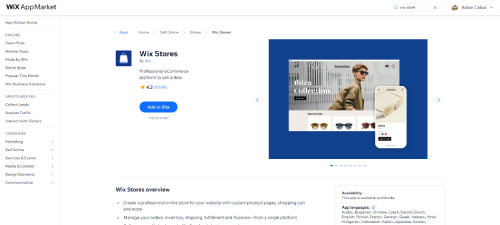
Wix Stores is an all-in-one eCommerce solution that lets you create and manage an online store directly on your Wix website. Key features include customizable product galleries, secure payment processing, flexible shipping options, and automated sales tax calculations. It is the go-to choice for anyone selling physical or digital products through Wix.
Wix Bookings
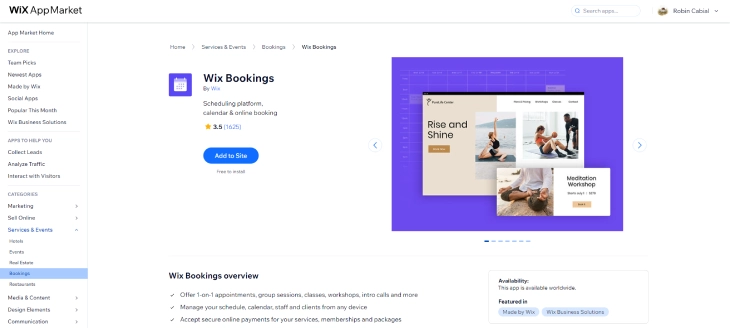
Designed for service-based businesses, Wix Bookings lets clients schedule appointments, workshops, or classes directly from your website. The app includes automated reminders, calendar sync (including Google Calendar), and built-in payment processing, making it ideal for coaches, consultants, salons, and fitness studios.
Wix Blog
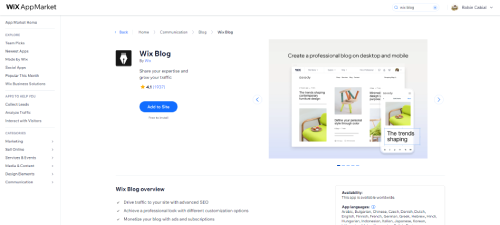
The Wix Blog app adds a fully functional blog to your website with customizable layouts, post scheduling, categories, tags, and social media sharing. It is the standard choice for businesses and creators who want to publish content and drive organic search traffic alongside their main site.
Wix Forms
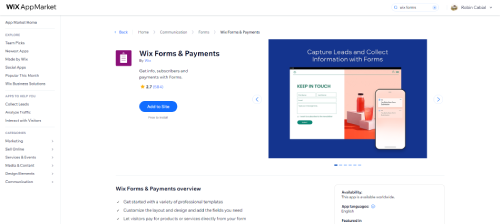
Wix Forms is a versatile drag-and-drop form builder that handles everything from simple contact forms to multi-step surveys and event registrations. Form submissions are stored in your Wix dashboard and can trigger automatic email notifications, making data collection straightforward.
Wix Chat
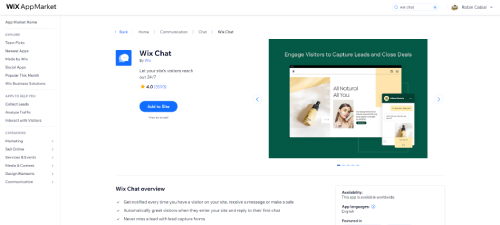
Wix Chat adds a live chat widget to your site so you can communicate with visitors in real time. Features include automated greeting messages, offline messaging, and notifications via the Wix Owner mobile app. It is one of the quickest ways to improve conversion rates and customer satisfaction on a Wix site.
Wix SEO Tools
Wix's built-in SEO suite, accessible directly from your site's dashboard under the SEO section, provides a step-by-step setup checklist, meta tag controls, structured data support, and a personalized SEO action plan tailored to your business type and goals. Previously offered as a separate "Wix SEO Wiz" app, these tools are now fully integrated into the Wix platform so every site owner has access from day one. They remain one of the most valuable features for improving your site's visibility in search results and attracting organic traffic.
123 Form Builder
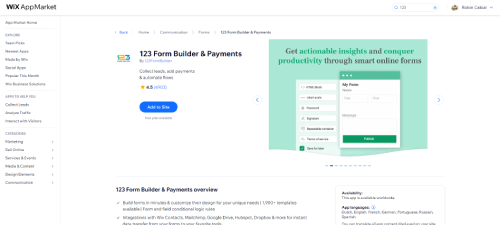
123 Form Builder is a powerful third-party form creation app offering surveys, quizzes, order forms, registration forms, and more. Its user-friendly interface and deep customization options make it a strong alternative to Wix Forms for businesses that need more complex form logic or third-party integrations.
Wix Owner App
The Wix Owner app is Wix's official mobile management app, available on iOS and Android. It allows you to manage your entire website, store, bookings, blog, and customer communications from your smartphone. Key features include real-time sales and visitor notifications, the ability to publish and edit content on the go, order fulfillment, and live chat management, making it an essential companion app for any Wix site owner.
Ecwid
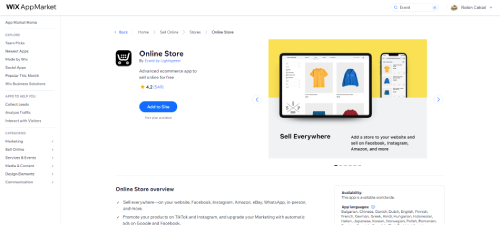
Ecwid is an eCommerce app that adds a full online store to your Wix website, with product catalogs, shopping cart functionality, and payment processing. It is particularly useful for sellers who want to list products across multiple channels simultaneously, including Facebook, Instagram, and Amazon, all managed from a single dashboard.
Printful
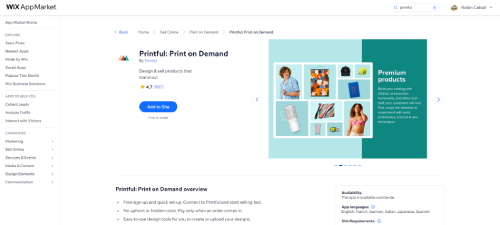
Printful is a print-on-demand app that lets you sell custom-branded merchandise, including t-shirts, hoodies, mugs, and posters, directly from your Wix website with no upfront inventory costs. Printful handles all production, packaging, and fulfillment automatically when an order is placed, so you can focus entirely on marketing and growing your brand.
How to Find the Right App in the Wix App Market
With hundreds of apps available, it helps to know how the App Market is organized. Here are the main categories and what you'll find in each:
- eCommerce: Online stores, inventory management, shipping tools, gift cards, and payment processors (Wix Stores, Ecwid, Printful, ShipStation)
- Marketing: Email marketing, popups, social proof tools, loyalty programs, and affiliate tracking (Mailchimp, Privy, Smile.io)
- Bookings and Events: Appointment scheduling, class management, ticketing, and RSVP tools (Wix Bookings, Wix Events)
- Communication: Live chat, contact forms, chatbots, and customer support tools (Wix Chat, Tidio, 123 Form Builder)
- Media and Content: Video players, galleries, music players, and podcast widgets (Wix Video, Wix Pro Gallery, Spotify)
- Site Tools: SEO, analytics, cookie consent, accessibility, and performance tools
- Design: Countdown timers, pricing tables, before-and-after sliders, and visual widgets
To find the best app for your need, start by browsing the relevant category. Sort results by "Most Popular" or check the "Wix Certified" badge, which indicates apps that have passed Wix's quality review. Reading the Reviews tab before installing is also worth the two minutes, since user feedback will surface any known compatibility issues or limitations.
How to Manage Your Installed Wix Apps
Once you've installed apps, you'll want to know how to keep them organized. Here's what you can do from the Apps section of your Wix dashboard:
- View all installed apps: Go to your site's dashboard and click the Apps icon in the left sidebar. You'll see every app currently connected to your site.
- Open an app's settings: Click the app name to open its management panel. Most apps have a dedicated dashboard for configuration, data, and billing.
- Update apps: Wix apps update automatically in the background. You'll receive notifications in your dashboard if any action is required on your end.
- Remove an app: Click the three-dot menu next to the app name and select Remove App. Confirm the action. The app's widgets disappear from your site immediately. Note that app data (form submissions, booking history) may be retained in the app's own system even after removal.
- Pause vs. delete: Some paid apps let you downgrade to a free tier rather than removing the app entirely. This keeps your data intact while stopping billing.
A good habit is to audit your installed apps every few months. Each app adds a small amount of overhead to your site, so removing unused ones keeps your site running efficiently.
How Wix Apps Affect Your Site Speed
Every app you install adds some amount of code, scripts, or external requests to your Wix site. Most apps are well-optimized and will not cause noticeable slowdowns on their own. But stacking many apps on a single page can compound loading times. Here is what actually happens behind the scenes and how to keep your site fast.
What Apps Add to Your Site
- JavaScript: Most apps load one or more JavaScript files to handle their functionality. These files must download and execute before the app appears on your page. A well-coded app defers non-critical scripts, but not all do.
- External requests: Apps that connect to third-party services (like a chat platform, CRM, or analytics tool) make requests to external servers when a visitor loads your page. Each external request adds latency, especially on slower connections.
- Third-party cookies and tracking: Some apps install tracking cookies for attribution or analytics purposes. These add minimal performance overhead but may trigger cookie consent banners depending on your region.
- Widgets and iframes: Apps that embed visible elements on your page (chat widgets, review carousels, booking calendars) may render inside an iframe, which adds a separate load sequence on top of your page's own assets.
How to Minimize App Impact on Performance
- Only install apps you actively use. Audit your App Market installations every few months and remove anything you are not actively using. An unused app still loads on your site.
- Avoid stacking multiple apps that do the same thing. Having two form apps, two chat widgets, or two analytics tools on the same site is a common mistake after testing alternatives. Keep only the one you use.
- Place heavy widgets below the fold. A booking calendar or review widget positioned near the bottom of the page loads after the critical above-the-fold content, reducing the perceived load time for visitors.
- Check Google PageSpeed Insights after installing a new app. Run your page URL through PageSpeed Insights before and after installing an app to see whether it affected your Core Web Vitals scores. A significant drop in LCP or TBT scores after installation is a clear signal that the app adds too much overhead.
For most Wix sites with fewer than 10 apps, performance impact is minimal. The more important factor is whether each app you install delivers enough value to justify its presence on your site.
How to Tell If a Wix App Is Safe to Install
Not every app in the Wix App Market goes through the same level of vetting. Wix reviews all apps before they go live, but third-party developers maintain their own code after launch. Before installing any app, spend two minutes checking these six things.
- Check the developer name and their other apps. Open the app listing and click the developer's name. You'll see every other app they have published. A developer with five well-reviewed apps and a professional website is a lower risk than one with a single listing and no other presence. If you cannot find any information about the developer outside of Wix, treat that as a warning sign.
- Read reviews sorted by most recent, not most helpful. Sorting by "Most Helpful" surfaces older reviews that may not reflect the current version of the app. Sort by "Most Recent" instead to see whether users are reporting bugs, billing issues, or sudden changes in the last 90 days. A pattern of recent one-star reviews is a red flag even if the overall rating looks healthy.
- Look at what permissions the app requests. When you install an app, Wix shows you exactly what data the app can access. A simple countdown timer that requests access to your customer contact list or order history is asking for far more than it needs. Match the permissions to the app's stated purpose. If they do not line up, do not install it.
- Check the last update date. Every app listing shows when it was last updated. An app with no updates in two or more years may be abandoned by its developer. Abandoned apps still run on your site but will not receive security patches or compatibility fixes when Wix updates its platform. This is a real risk, not a theoretical one.
- Look for a privacy policy link in the listing. Reputable app developers link to their privacy policy directly in the app listing. The policy should explain what data the app collects, how it is stored, and whether it is shared with third parties. No privacy policy link is not just a red flag: in many regions, sharing user data without a published policy is a legal issue for you as the site owner.
- Prefer apps built by Wix. Apps developed by Wix carry a Wix badge in the listing and go through a stricter internal review process than third-party submissions. They are also more likely to stay compatible as the platform evolves. When a Wix-built option exists for what you need, it is generally the safer starting point.
Wix Apps vs Wix Built-In Features: When Each Makes Sense
Before you install an app, it is worth checking whether Wix already includes what you need as a built-in feature. Many site owners add apps for functionality they already have access to without realizing it.
Wix includes these tools in every plan at no extra cost: a fully functional blog, a contact and lead form builder (Wix Forms), a basic members area, a media gallery, a video player, and a foundational booking calendar through Wix Bookings. These built-in features are maintained by Wix, load faster than third-party alternatives, and do not add monthly fees to your bill.
Wix apps become the right call when you need something the built-in tools do not cover, or when the gap between what is built in and what you actually need is significant enough to affect your business. Here are four specific situations where an app makes sense over a built-in feature:
- You need multi-channel selling. Wix Stores handles single-channel eCommerce well, but if you also want to list products on Amazon, Facebook Shop, and Instagram simultaneously and sync inventory across all of them, an app like Ecwid handles that in a way the built-in store does not.
- You need complex form logic. Wix Forms covers the majority of form use cases, but if you need conditional fields (show question B only if the user answered yes to question A), multi-page forms, or integrations with platforms like Salesforce, a dedicated app like 123 Form Builder fills that gap.
- You need print-on-demand fulfillment. There is no built-in way to sell and auto-fulfill custom-printed merchandise. An app like Printful connects your store to a fulfillment partner and handles production and shipping automatically.
- You need real-time chat. Wix does not include a live chat feature by default. Wix Chat is an app (even though it is built by Wix) that adds this capability to your site.
Cost is a real factor. Built-in features are included in whatever Wix plan you are already paying for. Apps often add monthly fees on top of that, ranging from a few dollars to over $50 per month for premium tiers. A site running five paid apps can easily double its monthly costs compared to the base Wix plan.
Performance is another angle competitors rarely cover. Built-in Wix features share the same infrastructure as the core platform and do not add external network requests when your page loads. Third-party apps, by contrast, load JavaScript from outside servers and may make additional API calls on each page view. For sites where Core Web Vitals scores matter for SEO, every third-party app you add is a potential drag on your LCP and TBT scores. The built-in option will almost always be faster.
A useful rule of thumb: if the built-in feature meets 80% of what you need, use it. Only install an app when the missing 20% is something your users will actually notice or something that directly affects your revenue. Adding an app to get a marginally better version of something that already works is rarely worth the added cost and performance overhead.
What to Do Next: Choosing Your First Wix App
A Wix app is one of the most practical ways to extend what your Wix website can do. Whether you need a fully featured online store, a booking calendar, a live chat widget, or advanced SEO controls, there is a Wix app in the App Market ready to deliver it. Store owners looking to grow through referrals can also explore Wix affiliate apps for store owners like LeadDyno and Refersion, which add affiliate tracking to any Wix store.
The breadth of the Wix App Market means that businesses of any size can build a professional, high-performing website without custom development. Start by identifying the features your site currently lacks, then browse the App Market by category to find the right tools. For a hand-picked selection, check out our guide to the best Wix App Market apps to see which ones deliver the most value.
* read the rest of the post and open up an offer