

Spaces by Wix is a free mobile app built for your website's members and customers, not for you as the site owner. It gives your audience a dedicated way to browse your content, book services, shop your store, and stay updated with push notifications, all without opening a browser. If you run a Wix-powered website with an active member base, this app is designed to keep those members connected on their phones.
Whether you're running an online community, a service-based business, or an eCommerce store, the Spaces by Wix app acts as a branded mobile touchpoint between your site and your audience. This guide covers everything you need to know about wix spaces, from key features to specific use cases and how it compares to the Wix Owner App, so you can decide whether it belongs in your digital strategy.
Spaces by Wix: An Overview
The Spaces by Wix app turns your website into a mobile experience that your members can carry in their pocket. Rather than requiring visitors to bookmark your site and revisit it through a browser, Spaces gives them a persistent connection to your Wix-powered site through a native app on their phone. When you post new content, launch a product, or add an event, members get a push notification instead of waiting to stumble across the update.
If you're already familiar with how to use Wix to build your site, the Spaces app is the natural next step for keeping your audience connected beyond the browser.
Key Features of Spaces by Wix
The spaces by wix app is built around three core ideas: keeping members informed, making engagement convenient, and simplifying actions like booking and shopping. Here's what it offers in practice.
Engage with Your Online Community
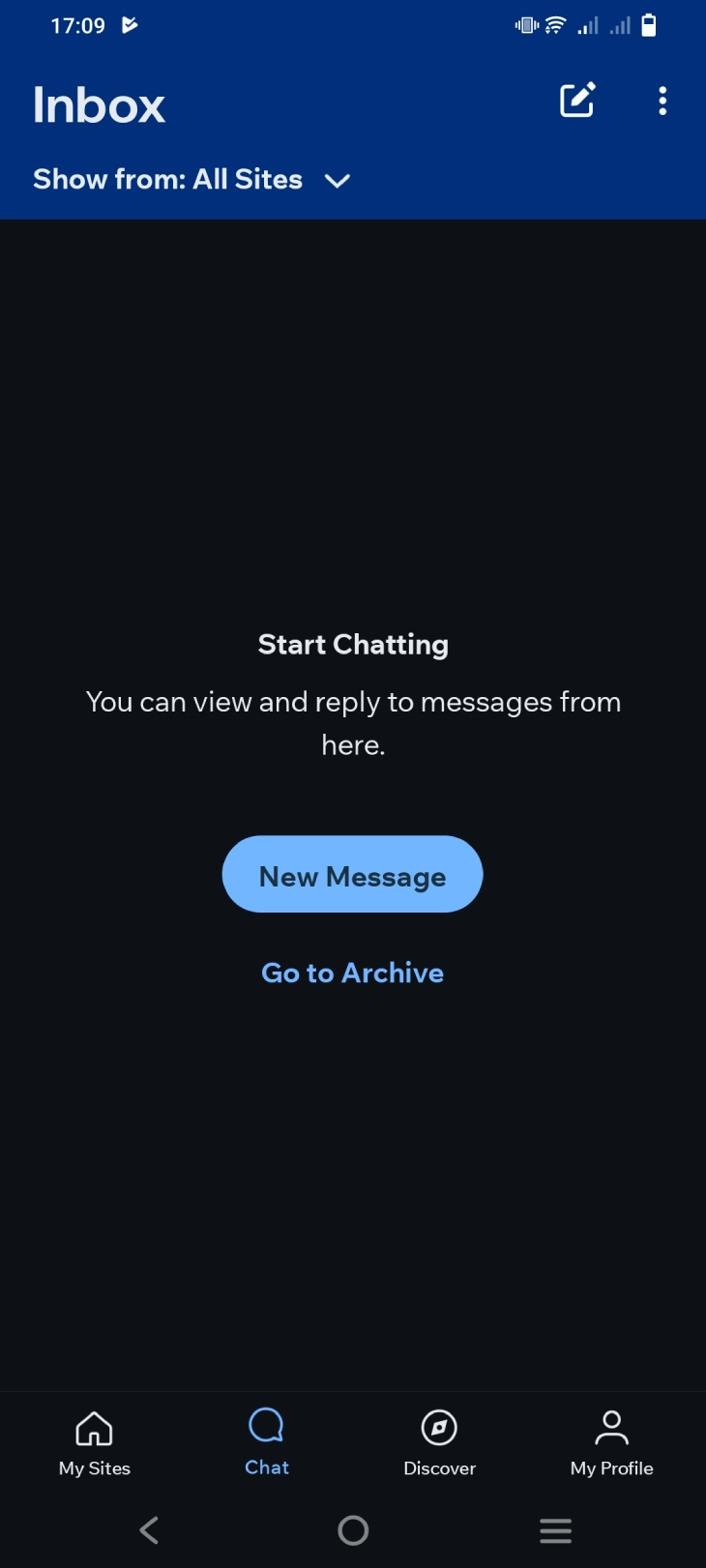
Turn passive visitors into active members. The Spaces app allows members to connect with their favorite Wix-powered online stores, businesses, websites, and communities. Members can view upcoming events, browse and shop online, read and interact with blog posts, and book services directly through the app.
The app also enables members to chat with other members, join forums and discussion groups, and participate in online events, creating a more active and interactive community experience.
Stay Updated and Connected

Push notifications are one of the most practical advantages of the wix spaces experience. When you publish a new post, announce an event, or update your store, members receive an alert directly on their phone rather than missing the update entirely. This is a real shift from relying on email open rates or hoping members remember to visit your site on their own.
Members can also control which sites they follow inside the app, so notifications stay relevant rather than becoming noise from sites they joined in the past and no longer follow actively.
Manage Appointments and Events
For businesses that rely on bookings, the spaces by wix app works alongside Wix Bookings to let members book sessions, purchase packages, and join virtual events without switching to a browser. See our guide on how to use Wix Bookings for the full setup walkthrough. Members can also get tickets for events, post in discussion boards, and share event photos from within the app.
Pros and Cons of Spaces by Wix
The app works well in specific contexts but is not a universal fit. Here's a straightforward breakdown before you decide whether to promote it to your audience.
Pros |
Cons |
|
Spaces by Wix |
|
|
Is Spaces by Wix Free?
Yes. Spaces by Wix is completely free to download and use for your site's members. There is no subscription fee for the app itself. Visitors and members can download it from the Apple App Store or Google Play Store at no cost, and they can access your Wix-powered content, book services, join discussions, and receive notifications without paying anything for the app.
However, the features available to your members through Spaces depend on your own Wix plan and which Wix products you have active on your site. If you want members to book appointments through the app, you need Wix Bookings enabled. If you want them to shop through the app, your Wix store needs to be set up. The app itself is free, but unlocking the full range of interactions requires the right Wix plan.
This is the key difference between Spaces by Wix and Branded Apps by Wix. Branded apps are custom white-label apps that cost $200/month to build and maintain, while Spaces is the free, ready-made option that provides core engagement features for Wix site members without any additional investment.
How to Access Spaces by Wix
Spaces by Wix is a mobile app for your audience, your site's members and customers. Here's how they access it:
- Download the app: Members search for "Spaces by Wix" in the Apple App Store or Google Play Store and download it for free.
- Log in: They log in using the same email address and password they use to access your Wix site as a member. If they registered through your site with Google or Facebook, they can use those same accounts to log in to Spaces.
- Find your site: Once logged in, members can search for your Wix site by name or follow a link you share. When they join your site through the app, it appears in their "My Sites" list for quick access going forward.
- Engage: From there, they can view your content, book services, browse your store, participate in forums, and receive push notifications from your site.
As the site owner, you don't log into Spaces by Wix. That's what the Wix Owner App is for. Spaces is your audience's app, not your admin tool.
Use Cases for Spaces by Wix
Spaces by Wix fits certain website types much better than others. The app delivers the most value when your site has a returning member base, not one-time visitors. Here are the scenarios where it makes a real difference.
Online Communities and Forums
If you have a community around your blog, niche interest, or cause, Spaces gives members a mobile home base for discussions, group chats, and interaction. Site owners can set up discussion boards, host virtual events, and facilitate member connections all within the app. This builds a stronger sense of belonging compared to email newsletters alone, because members can respond and interact in real time.
eCommerce and Online Stores
Spaces lets customers view product catalogs, make purchases, apply discounts, and track orders from their phones. The integrated shopping experience can increase repeat purchase rates by keeping your store visible through push notifications when you launch new products or run promotions.
Blogs and Content Hubs
For Wix-based blogs with regular readers, Spaces delivers new posts directly to members' phones as push notifications. Members can read, comment, and engage without needing to check back manually or rely on finding your email in a crowded inbox. This is especially useful for publishers who publish on a consistent schedule and want to build a habit loop with their audience.
Service Bookings and Appointments
Service-based businesses get a direct booking channel through Spaces. Members can book sessions, purchase packages, and join virtual events without navigating through a browser. This reduces the gap between a member deciding they want to book and actually completing that booking.
How to Get Your Members to Actually Use the App
The biggest limitation of wix spaces is adoption. Unlike a website that's accessible the moment someone clicks a link, Spaces requires your audience to proactively download and install an app. Many Wix site owners set up the connection but see minimal usage because they never actively promote it.
Here's what works for driving real adoption:
- Add a banner on your Wix site that explains what members gain by downloading the app, not just that the app exists. "Get notified the moment we post new content" converts better than "Download our app."
- Send a dedicated email to your member list when you launch. Focus on the push notification benefit, since that's the clearest advantage over simply visiting the site through a browser.
- Offer something exclusive through the app at launch, such as early access to a new product, a members-only post, or a discount code delivered through push notifications.
- Add the download link to your site's footer and confirmation emails so new members see it as part of the standard onboarding flow.
- Post about it consistently on your social channels for the first few weeks, showing exactly what members see inside the app.
- Mention it in your newsletter whenever you share content that members would want to receive instantly next time rather than waiting for the next email.
Adoption drops when the app offers no clear benefit over visiting the site in a browser. Make push notifications the main selling point, not the app itself.
Spaces by Wix vs. Wix Owner App
The Wix ecosystem includes two mobile apps, and they serve completely different people. The Spaces by Wix app is for your members and customers. The Wix Owner App is for you, the site owner, to manage your Wix website on the go. Mixing them up is the most common misunderstanding about Wix's mobile tools.
User Focus
Spaces by Wix prioritizes audience engagement. It creates a mobile-friendly space for your website visitors to interact with your content, community features, and online store. Think of it as a dedicated app for your community, allowing users to stay connected and engaged on the go.

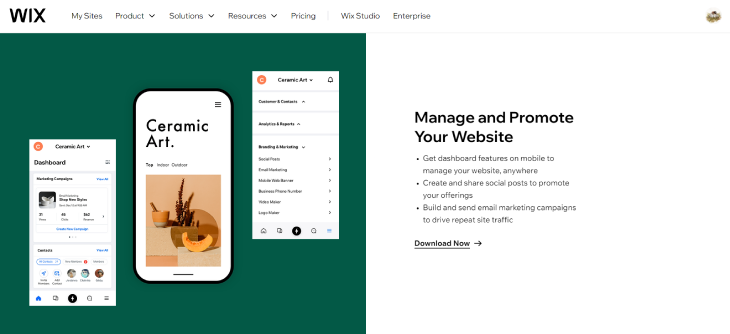
The Wix Owner App is designed for you as the site owner. It provides tools to manage your website's content, analytics, and settings from your smartphone.
Functionality
Spaces focuses on content consumption and community interaction. Members can engage with content, shop, book appointments, and stay informed through push notifications.
The Wix Owner App handles site management tasks: updating content, responding to visitors via live chat, and checking your site's analytics and performance.
Accessibility
Spaces is designed as a mobile-first experience for your audience, with a clean interface built around the things members do most, such as reading posts, browsing products, and joining discussions.
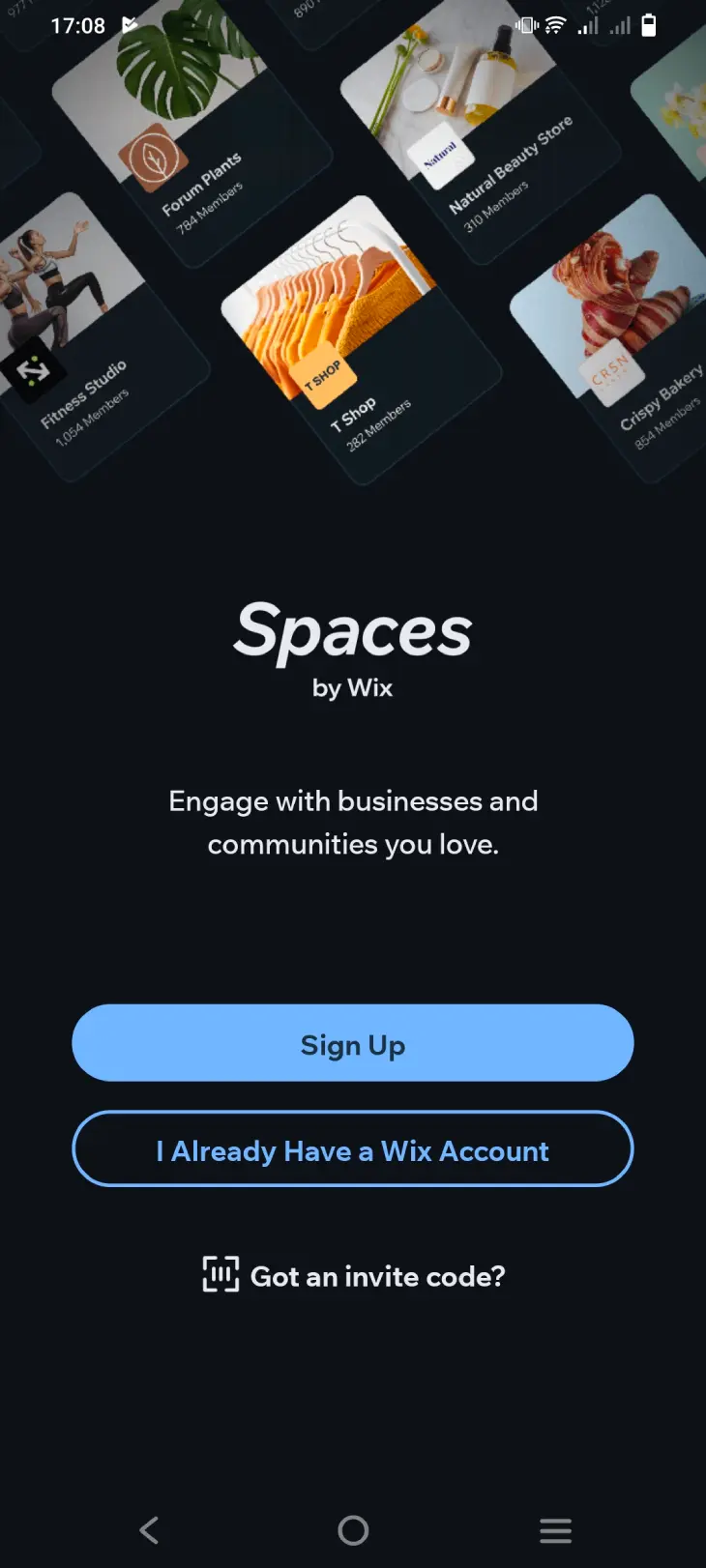
The Wix Owner App is also mobile, but it's focused on giving site owners the tools to keep their website running from anywhere.

Branding
Spaces shows your site's branding to members rather than Wix's branding. This gives members a more consistent experience when they interact with your content through the app.
The Wix Owner App carries Wix's own branding, which is appropriate for a management tool used internally by site owners already within the Wix ecosystem.
Side-by-Side Comparison
Spaces by Wix |
Wix Owner App |
|
Pros |
|
|
Cons |
|
|
What Happened to Spaces by Wix? (2024 to 2026 Updates)
If you've searched "what is Spaces by Wix" recently, there's a good chance you heard the app was changing, being replaced, or had already been shut down. That's not accurate. Spaces by Wix is still available on iOS and Android, it's actively maintained, and Wix has continued rolling out updates to its feature set through 2024 and into 2025 and 2026.
That said, there is real history behind the confusion. Here's a clear breakdown of what has actually changed, what hasn't, and what to expect going forward.
The Rebrand: From "Wix App" to "Spaces by Wix"
The app was not always called Spaces by Wix. For years, Wix offered a member-facing app under a different name. The rebrand to "Spaces by Wix" was part of a broader effort to make it clearer that the app is a shared space for members across multiple Wix-powered sites, not a single-site branded experience. Many users who installed the older version of the app found it updated silently, which led to questions about whether the app they had was still the right one. It was. The core experience carried over; only the name and interface evolved.
Spaces by Wix vs. Branded Apps by Wix: The Confusion Explained
One reason so many people search "what is Spaces by Wix" is that Wix introduced a second product called Branded Apps by Wix, and the two are easy to mix up. Here's the key difference:
- Spaces by Wix is the free, shared app your members download. Your site appears inside it alongside other Wix-powered sites they follow. There is no dedicated icon on a member's phone that says your business's name.
- Branded Apps by Wix is a paid tier (starting around $200/month) that gives you a fully white-labeled mobile app under your own brand name, with its own App Store listing and its own icon. Think of it as a custom app built on top of the same infrastructure Spaces uses.
Many Wix site owners have seen Branded Apps mentioned in Wix documentation or community posts and assumed Spaces was being phased out in favor of it. It wasn't. The two products sit at different price points and serve different needs. Spaces remains the free, entry-level option for keeping members connected, while Branded Apps is an upgrade for businesses that want a fully standalone app experience.
What Wix Has Added to Spaces Since 2023
Wix has made a number of additions to the Spaces by Wix app over the past two to three years. The updates have focused on community tools and in-app engagement rather than store management (which lives in the Wix Owner App). Notable additions and improvements include:
- Expanded in-app messaging and group chat features, making it easier for members to communicate with each other directly inside the app
- Improved notification controls, giving members more granular options for which updates they receive and how often
- Better integration with Wix Events, allowing members to RSVP and manage tickets without leaving the app
- Tighter connection to Wix Bookings, so appointment confirmations and reminders surface natively in the member's app feed
- Interface updates that make it faster to find followed sites and switch between them
These changes reflect Wix's ongoing investment in the member experience side of its platform. The Spaces by Wix app is not a legacy product being quietly wound down; it's still receiving meaningful updates.
Is Spaces by Wix Still Available?
Yes. As of mid-2026, Spaces by Wix is available for free on both the Apple App Store and Google Play Store. If you search for it by name on either platform, you'll find the current version. The app has active reviews, recent update notes, and an ongoing support thread on the Wix community forums.
If you tried searching for it and couldn't find it, the most common reason is a regional App Store issue or a cached search result pointing to an old listing. Searching "Spaces by Wix" directly in the App Store or Play Store and sorting by most relevant should pull up the current version immediately.
What to Expect Going Forward
Wix has not published a detailed public roadmap for Spaces, but based on the direction of recent updates, the app is likely to keep expanding its community and communication features. The focus appears to be on giving members more reasons to stay inside the app rather than bouncing back to a mobile browser, which aligns with broader trends in how content platforms think about audience retention.
For site owners, the practical takeaway is this: Spaces by Wix is not going away, the free tier is not being stripped back, and the gap between Spaces and Branded Apps remains significant in both price and positioning. If you've been hesitating to promote the app to your members because you weren't sure it was still worth investing in, the current state of the product suggests it is.
Is Spaces by Wix Right for Your Site?
The wix spaces app delivers real value in specific situations and very little in others. Before deciding whether to promote it to your audience, consider these questions:
- Do your members return regularly? The app is most valuable when your audience has an ongoing reason to engage, such as a community forum, regular content updates, or recurring bookings. One-time visitors have no reason to install a dedicated app.
- Do you have active Wix products? Without Wix Bookings, a Wix Store, or an active blog, the spaces by wix app has little to offer members beyond a notification feed.
- Is your audience mobile-first? If your analytics show most traffic comes from desktop users, the case for a dedicated mobile app is weaker. Check your Wix analytics before investing time in promoting Spaces.
- Are you willing to actively promote it? The app will not grow on its own. Without including it in your email campaigns, site pages, and social posts, adoption will be minimal.
If the answers above point in the right direction, Spaces by Wix is a free, low-effort way to deepen your mobile connection with the audience you've already built on Wix. If your site is primarily informational or serves one-time visitors, your time is better spent on SEO and email capture rather than promoting a member app.
* read the rest of the post and open up an offer