

Wix Music is worth it for independent musicians who want an all-in-one site with built-in music streaming and direct sales, but it falls short if you need music distribution or dedicated fan management tools. The app is free to install, charges zero commission on track sales, and works well for solo artists, bands, and producers who already use Wix or plan to build their online presence there. The main catch: you need a paid Wix Business plan (starting at $17/month) to process payments, and you will need a separate distributor like DistroKid or TuneCore to get your music on Spotify or Apple Music.
Wix itself is a leading website builder that offers an extensive range of free templates built to the latest web standards, delivering responsive sites across devices. Beyond standard website building, Wix provides specialized tools for specific industries: Wix Bookings for appointment scheduling, Wix Answers for customer support, and Wix Restaurants for online food ordering. The Wix Music app fits into this ecosystem as the platform's answer for musicians.
Wix Music: Pros and Cons Overview
Designed for musicians and bands, the Wix Music app lets artists upload, share, and sell their music directly from their website. It charges no commission fees on sales; you keep 100% of the revenue (minus standard payment processing fees from Wix Payments or your connected provider). The app includes a customizable music player, track and album management, and basic analytics.
Here is an overview of its pros and cons:
| Pros | Cons |
|
Musicians keep all revenue from sales (zero commission) User-friendly drag and drop interface for website customization Flexible design with dedicated music website templates Built-in email marketing and social media integration for promotion Free to install; no upfront cost for the app itself |
Selling music requires a Wix Business plan ($17+/month) No built-in distribution to major streaming platforms Analytics are basic compared to dedicated music platforms Limited merch selling features (no variant management) No native fan subscription or membership tier support |
Wix Music Pricing Breakdown
Understanding which Wix plan you actually need is one of the most common points of confusion for musicians. Here is how the plans break down in terms of music-related features:
- Free plan - You can install the Wix Music app and upload tracks for streaming and previews, but you cannot accept payments. Your site will carry Wix branding and a wix.com subdomain. Good for testing, not for selling.
- Core plan ($17/month) - The minimum plan that lets you connect a payment provider and start selling music. You get 2GB of storage, which is enough for a small catalog (roughly 200 typical MP3 tracks). Wix Payments is available at this tier with standard processing fees of 2.9% + $0.30 per transaction.
- Business plan ($29/month) - Increases storage to 50GB and adds more advanced eCommerce features including abandoned cart recovery and subscription options. Better for artists with larger catalogs or who plan to sell merch alongside music.
- Business Elite plan ($159/month) - Unlimited storage and priority support. Only necessary if you have a very large audio/video library or high transaction volume.
The key point: Wix does not take commission on any tier. The only fees you pay are standard payment processing charges. If your main question is "what does Wix Music cost," the real answer is that the app itself is free; the $17/month Core plan is where selling becomes possible.
Key Features of Wix Music
Wix Music gives musicians tools for uploading and organizing tracks into albums, a customizable player widget that matches your site design, direct music and merchandise sales, and analytics for tracking listener engagement and sales performance.
Customizable Music Player Widget
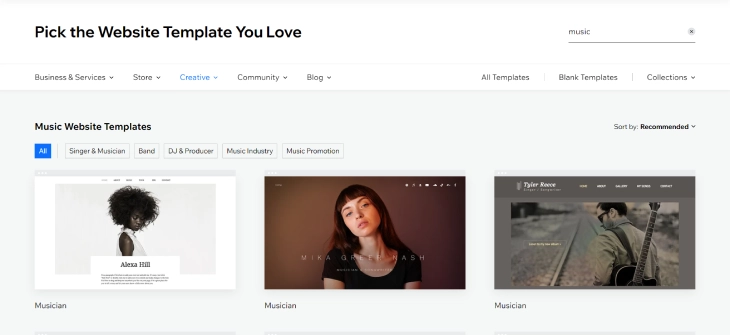
The Wix Music player is an embeddable widget you can place anywhere on your site. It supports multiple layout styles: compact single-track players, full album views with artwork, and playlist formats. You can adjust colors, fonts, and button styles to match your branding. The player supports streaming previews (with adjustable clip length) so visitors can sample tracks before buying.
Wix provides a range of customizable website templates designed specifically for musicians, bands, DJs, and producers. These templates come pre-built with music player sections, event listings, and media galleries, so you spend less time on layout and more time on your music.
Selling Music on Wix
Wix Music handles digital music sales with no commission taken by Wix on any transaction. When a fan purchases a track or album, they get a download link delivered automatically. You set your own prices for individual tracks and full albums.
To accept payments, you need a Wix Business or eCommerce plan. The Business Core plan starts at $17/month and includes Wix Payments processing. Standard payment processing fees apply (typically 2.9% + $0.30 per transaction through Wix Payments), but Wix itself does not take a cut of your sales revenue.
You can also sell physical merchandise like vinyl records, T-shirts, and posters through the same Wix store, though the merch features are fairly basic. For artists who rely heavily on merch revenue, a dedicated eCommerce setup with more product management tools may work better.
Spotify and Apple Music Integration
Wix Music does not distribute your tracks to Spotify, Apple Music, Amazon Music, or other streaming platforms. For that, you need a third-party distributor like DistroKid, TuneCore, or CD Baby. These services typically charge an annual fee or per-release fee to get your music onto major platforms.
What Wix does offer is the ability to embed Spotify and Apple Music players directly on your site using apps from the Wix App Market. This means fans can stream your music on your website through those platforms while also having the option to buy directly from you. It is a good strategy to use streaming embeds for discovery and your Wix Music store for higher-margin direct sales.
Wix Events for Gig Promotion
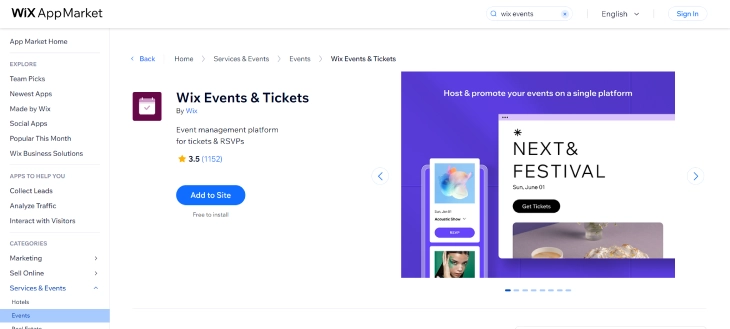
Wix Events pairs well with Wix Music for artists who perform live. You can create event pages with dates, venues, ticket pricing, and descriptions. The app supports ticket sales directly on your website, RSVP management, email invitations, and attendance tracking through the Wix mobile app. It also integrates with Wix Bookings and Wix Payments so everything runs through one dashboard.
Key event features include:
- Event creation - Customizable pages with date, time, venue, description, and images
- Ticketing and RSVP - Sell tickets or accept RSVPs directly, set pricing tiers, and collect attendee info
- Analytics - Track ticket sales, attendance data, and revenue per event
- Mobile check-in - Use the Wix Events app to scan tickets and track attendance in real time
Wix Video for Music Videos
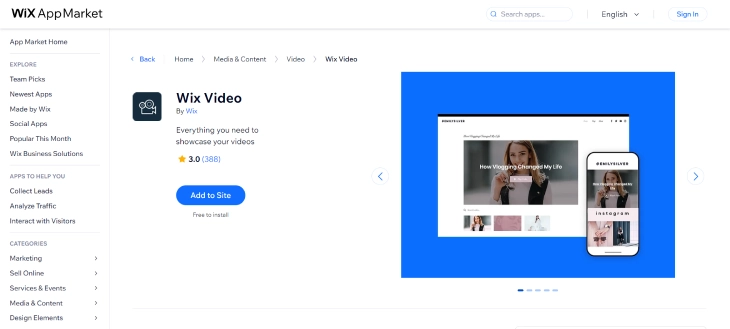
Wix Video lets you showcase music videos, behind-the-scenes content, and live performance recordings. You can upload your own videos or pull in content from YouTube, Facebook, or Vimeo and organize everything into channels. The player is customizable to match your brand, and you can monetize video content by offering rentals, purchases, or subscriber-only access to certain channels.
Wix Music vs. Using a Third-Party Player on Your Own Site
Many musicians face a decision that most reviews skip entirely: should you use Wix Music's built-in tools, or build your site on any platform and embed a third-party player like Bandcamp, SoundCloud, or Spotify? Both approaches work, but they are not the same.
Here is where Wix Music has a real edge:
- You keep more money per sale. Bandcamp takes 15% on digital sales (dropping to 10% after $10,000 in sales). SoundCloud Premier pays fractions of a cent per stream. With Wix Music, you set the price and keep everything except payment processing fees (roughly $0.60 on a $10 sale vs. $1.50 with Bandcamp).
- Your brand stays consistent. Embedded third-party players carry another platform's branding. A Bandcamp widget on your Wix site sends visitors to Bandcamp's ecosystem, not yours.
- One dashboard for everything. Sales, fan data, and site analytics all live in Wix. With third-party embeds, your revenue data is split across multiple platforms.
Where third-party players beat Wix Music:
- Discovery. Bandcamp and SoundCloud have built-in audiences that browse for new music. Your Wix site has none of that unless you drive your own traffic.
- Community features. SoundCloud comments and Bandcamp's wishlist and collection features create fan engagement that Wix Music does not replicate.
- Lower barrier to entry. You can sell on Bandcamp for free. Wix requires a $17/month plan before any sale is possible.
The practical answer for most musicians: use Bandcamp or SoundCloud for discovery and community, and run Wix Music for direct sales where you keep the highest margin. You can embed both on the same Wix site.
How to Set Up Wix Music on Your Site
Getting Wix Music running on your website takes about 15 minutes. Here is the process step by step:
- Create a Wix account - Sign up at wix.com and pick a music template or start with a blank canvas. If you plan to sell music, choose a Business or eCommerce plan during setup or upgrade later. Check the Wix pricing breakdown for current plan costs.
- Install the Wix Music app - Go to the Wix App Market from your editor, search for "Wix Music," and click Add to Site. The app installs in seconds.
- Upload your tracks - Open the Wix Music dashboard, click "Add Album" or "Add Track," and upload your audio files. Add artwork, track titles, and descriptions. Supported formats include MP3 and WAV.
- Configure your player - Choose a player layout (compact, full, or playlist style), adjust colors and fonts, and place the player widget on your pages using drag and drop.
- Set pricing - If selling, set prices for individual tracks and full albums. Connect Wix Payments or a third-party payment provider to process transactions.
- Publish - Preview your site, test the player and checkout flow, then publish. Share your music page link on social media and embed it in your email newsletters.
Wix Music Vs Other Music Apps
Wix Music Vs. Spotify Player
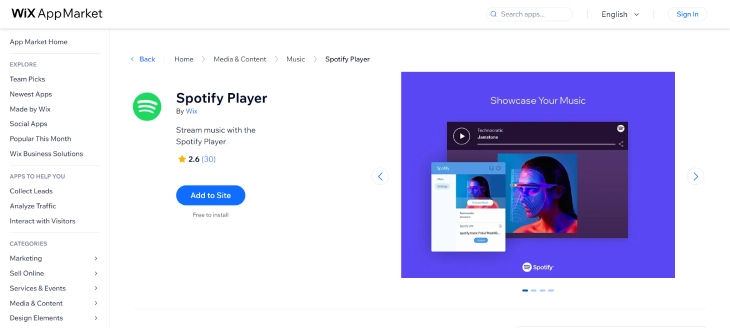
Wix Music and the Spotify Player app serve different purposes. Wix Music is a sales and promotion tool: artists upload their own tracks and sell them directly. The Spotify Player app embeds existing Spotify content on your Wix site, which is great for keeping visitors engaged but does not generate direct sales revenue. Most musicians benefit from using both: Spotify embeds for streaming discovery and Wix Music for direct purchases where you keep the full margin.
| Wix Music | Spotify Player | |
| Best For | Selling and promoting your own tracks | Embedding streaming content for discovery |
| Revenue | Direct sales, you keep 100% | No direct revenue from website plays |
| Customization | Full control over player design | Limited to Spotify's embed style |
| Requires | Wix Business plan for sales | Listeners need Spotify accounts for full tracks |
Wix Music Vs. SoundCloud
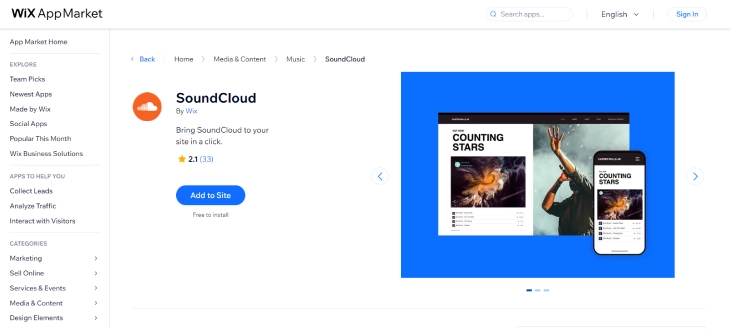
SoundCloud is primarily a music-sharing and discovery platform with a large community of listeners and creators. It is strong for exposure and getting feedback on new tracks. Wix Music is better for musicians who want full control over their website, branding, and sales. SoundCloud does offer a monetization program (SoundCloud Premier), but payouts depend on stream counts and are generally lower per-play than direct sales through your own site.
| Wix Music | SoundCloud | |
| Best For | Selling music and controlling your brand | Discovery, community feedback, exposure |
| Revenue | Direct sales, zero commission | Stream-based payouts (SoundCloud Premier) |
| Audience | Visitors to your website | Built-in community of millions |
| Analytics | Basic play and sales stats | Detailed listener demographics (paid plans) |
Wix Music Alternatives for Musicians
Wix Music is not the only option for building a music website. Here is how two popular alternatives compare:
- Bandzoogle - Built specifically for musicians. Includes commission-free music and merch selling on all plans (starting around $8.29/month), built-in EPK (Electronic Press Kit) pages, and mailing list tools. It has fewer general website features than Wix, but the music-specific tools are deeper. If your primary goal is selling music and you do not need a general-purpose website builder, Bandzoogle is worth considering.
- Squarespace - Known for strong visual design and polished templates. Squarespace does not have a dedicated music app like Wix Music, but its commerce plans support digital downloads, and you can embed Spotify, Apple Music, or SoundCloud players. It is a good fit for artists who prioritize design and already use external distribution for their music.
Frequently Asked Questions
Final Verdict: Wix Music Review
Wix Music is a practical choice for musicians who want to sell and promote their music from their own website. The zero-commission sales model is its biggest selling point: every dollar from a track sale goes to you (after payment processing fees). The customizable player looks good, setup is straightforward, and the integration with Wix Events and Wix Video means you can build a full artist hub in one place.
The downsides are real, though. You need a $17+/month plan to sell anything, the analytics are basic, and there is no built-in streaming distribution. If selling music is your top priority and you want the cheapest path to a professional music site, Bandzoogle is worth a look. If design matters most and you already distribute through a third-party service, Squarespace is another strong option. But for musicians who want a flexible website builder with decent music tools and zero sales commission, the Wix Music app holds up well.
* read the rest of the post and open up an offer