
When it comes to building a website, two of the most popular beginner-friendly platforms are Wix and Site123. Wix is known for its advanced design capabilities and wide range of features, while Site123 is known for its simplicity and ease of use. In this Wix vs Site123 comparison, we break down pricing, design, eCommerce, and support so you can decide which platform is better for your website.
Whether you are building a personal blog, an online store, or a business website, this guide covers everything you need to choose between Site123 vs Wix with confidence.
Wix Vs. Site123: Comparative Overview
Wix and Site123 are both popular website builders that allow users to create and customize their websites without needing to know how to code. However, they have some key differences that make them better suited for different types of websites.
|
Starting Price |
Ease of Use |
Design and Customization |
Features and Functionality |
Customer Support |
|
|
Wix |
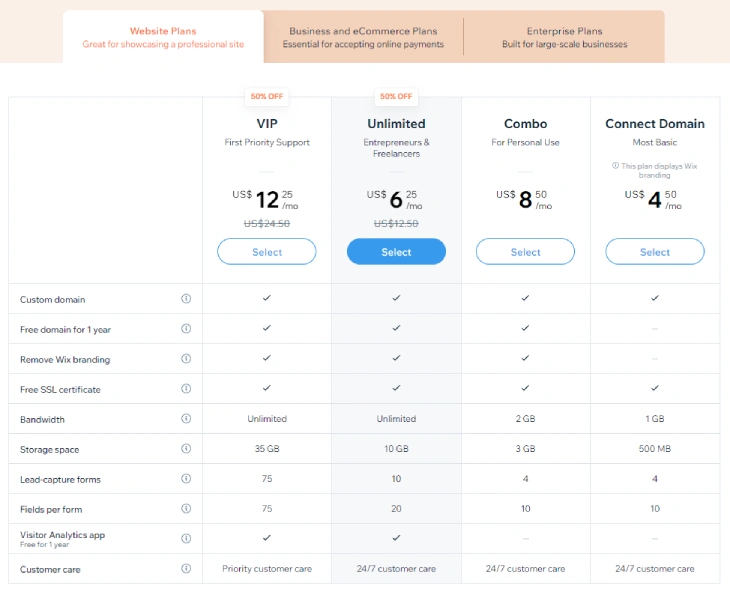
$17/month (Light) |
|
|
|
|
|
Site123 |
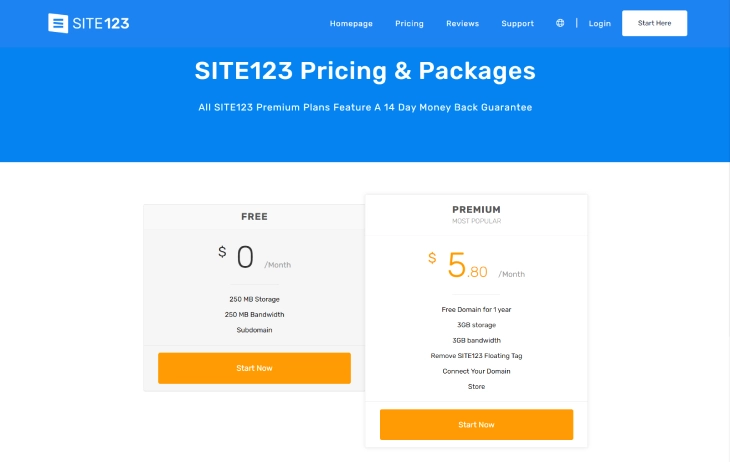
$5.80/month (Premium) |
|
|
|
|
Pricing and Value: Wix or Site123
Both Wix and Site123 offer free plans and a range of paid plans to suit different needs and budgets. Wix's premium plans offer more advanced features, including increased storage, bandwidth, and eCommerce capabilities, but come at a higher price than Site123. Site123's paid plan is more affordable and covers the basics, but lacks some of the power users and growing businesses need from Wix.
Pricing Plans: Overview
|
Free |
Light |
Core |
Business |
Business Elite |
|
|
Wix |
$0.00/month |
$17/month |
$29/month |
$36/month |
$159/month |
|
Free |
Premium |
||||
|
Site123 |
$0.00/month |
$5.80/month |
Both Wix and Site123 offer a range of pricing plans to suit different budgets and needs. Wix's pricing plans are more expensive than Site123's, but they offer significantly more value in terms of features and capabilities. Wix's paid plans now start at $17/month (Light), going up to $29/month (Core), $36/month (Business), and $159/month (Business Elite) for large-scale operations. Site123 has a free plan and a single premium plan at $5.80/month, which includes a free domain, limited storage, and basic design tools.
The right pricing plan for you will depend on your specific needs and budget. If you need more advanced features and design capabilities, Wix is the better option. But if you only need a simple website and are watching your budget, Site123 is a more cost-effective choice.
Value for Money
When comparing value for money in the Wix or Site123 debate, it is important to look at what each plan actually includes. Site123's premium plan is cheaper, but comes with fewer features and much less design flexibility.
Wix's paid plans offer strong value for the price, advanced design tools, a larger app marketplace, and scalable eCommerce capabilities that Site123 simply cannot match. If you require serious features or plan to grow your site over time, Wix provides better value. For a basic landing page or simple portfolio, Site123 gets the job done at a fraction of the cost.
Ease of Use: Wix or Site123
Both Wix and Site123 are designed to be user-friendly, even for those with no prior experience in website design, but they take different approaches to ease of use.
Drag-and-Drop Editors
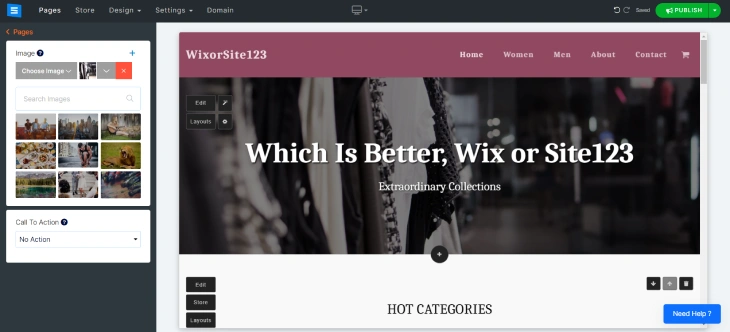
Both Wix and Site123 offer drag-and-drop editors that allow users to easily move elements around the page to create their desired layout. Wix's editor provides greater control over placement and customization, allowing for more creative freedom. Users can move elements anywhere on the page, resize them, and customize their appearance with ease. This makes Wix a great option for those who want more control over their website's design.
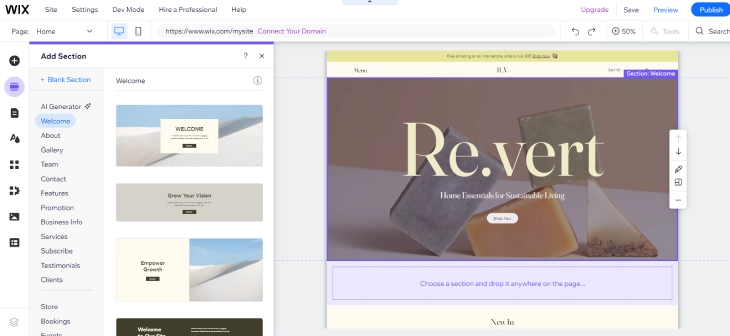
Site123's editor, on the other hand, is more limited. While it still allows for drag-and-drop functionality, elements can only be moved within predefined sections and customization options are fewer. This makes Site123 a better option for those who want a simpler, more guided website-building experience. If you want creative freedom, choose Wix. If you just want to get a site live quickly, Site123's editor may suit you better.
Site Navigation and Editing
Regarding site navigation and editing, Wix's interface can feel overwhelming at first, there are many options and tools to explore. This can make it harder for complete beginners to get started. Once you get the hang of it, though, Wix's interface gives you significant control over your website's design and functionality.
Site123's interface is much simpler. Tools and options are clearly labeled and easy to find, making it a more beginner-friendly experience. The trade-off is that this simplicity limits what you can do with your design.
Design and Customization: Wix or Site123
Both Wix and Site123 offer templates and design options to help users create a professional-looking website, but the depth of customization differs significantly.
Templates
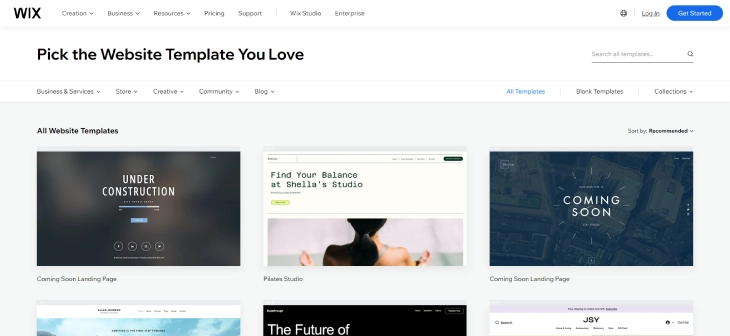
Wix has over 500 free templates to choose from, while Site123 has around 200. Wix's templates are also more customizable, giving you greater control over your website's look and feel. If you want options and creative control, Wix is the clear winner here.
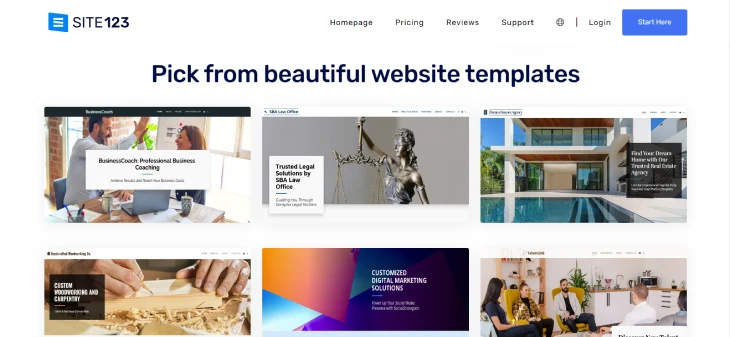
Site123's templates are designed for speed and simplicity, ideal if you want a clean, functional site up quickly without too much tinkering. They look professional out of the box but offer less room for customization.
Design Flexibility
Wix offers complete design flexibility, users can move elements anywhere on the page and customize virtually every aspect of their site. This makes it an excellent choice for anyone who wants full creative control.
Site123's design options are more constrained but still allow for a reasonable level of customization. It is a good fit for users who want a streamlined design process, particularly for simple websites. If you are curious about how Wix compares to other simple builders like Weebly, the design flexibility gap is similar.
Features and Functionality: Wix or Site123
Both platforms offer the core features most websites need, but Wix goes further in almost every category.
eCommerce
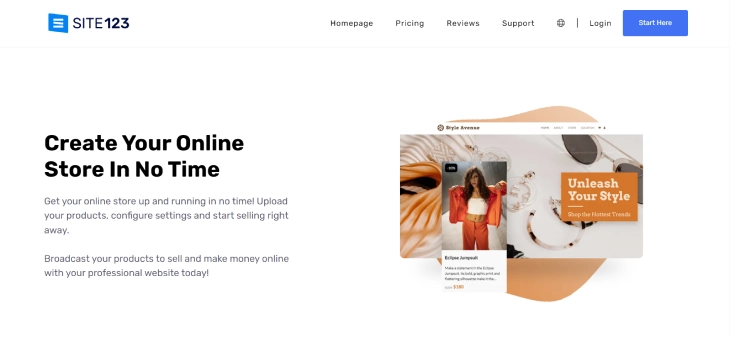
Both Wix and Site123 offer eCommerce functionality, but Wix's is significantly more advanced. Wix eCommerce offers a full suite of tools, product management, order tracking, abandoned cart recovery, and multiple payment options.
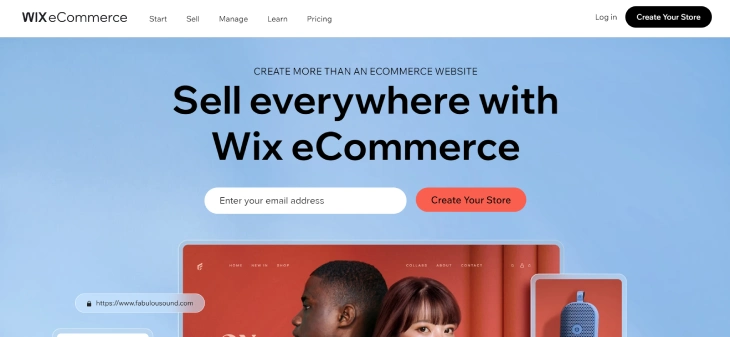
Site123's eCommerce is limited to basic product listings and checkout. If you are building a serious online store, Wix is the stronger choice. For a very small or hobby store, Site123's simpler setup may be sufficient.
SEO
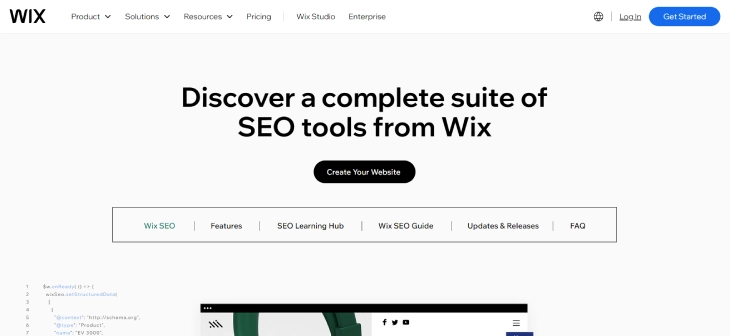
Both Wix and Site123 offer SEO tools, but Wix has the edge. It provides customizable meta tags, URL slugs, structured data support, and an SEO setup wizard. Site123 covers the basics but gives you far less control. If SEO is a priority for your site, Wix is the better platform. You can also read about the pros and cons of using Wix for a fuller picture of where it excels and where it falls short.
Third-Party Integrations
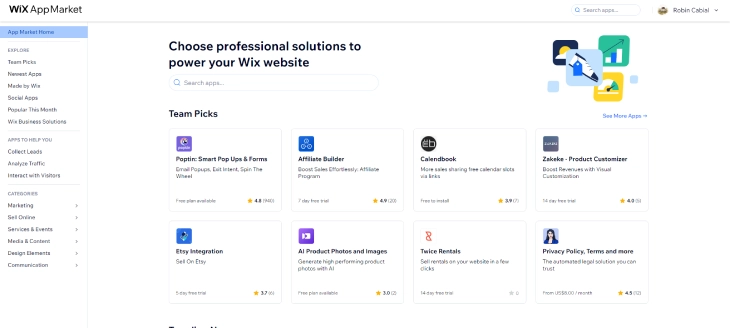
Wix has a large App Market with hundreds of integrations, covering email marketing, CRM, live chat, analytics, and eCommerce tools. Site123 offers a smaller selection of integrations, which is fine for basic sites but limiting for anyone who needs to connect multiple tools.
Customer Support: Wix or Site123
Both Wix and Site123 offer customer support, but the scope and quality differ.
Support Channels
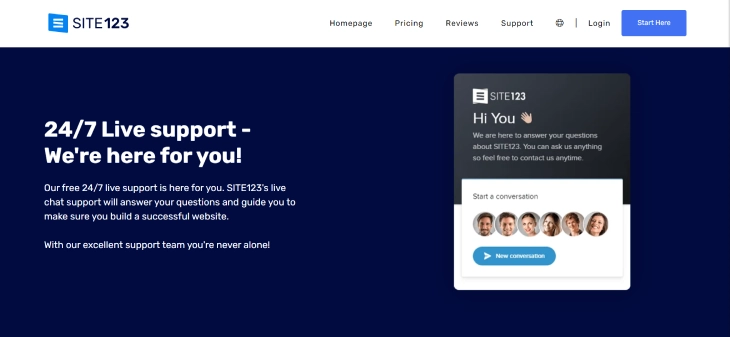
Wix offers customer support through phone, email, and live chat. Site123 offers support through email and live chat only, no phone support. If you need the reassurance of being able to call someone, Wix is the clear choice.
Support Quality
Both platforms have solid reputations for support. Wix's team is generally regarded as more knowledgeable and better equipped for technical questions. Site123's support is responsive and sufficient for most beginner-level issues. If you anticipate needing ongoing technical help as your site grows, Wix is the safer bet.
Wix vs Site123: Our Verdict
After comparing both platforms across every major category, here is the bottom line on Wix vs Site123:
- Choose Wix if you want design flexibility, powerful eCommerce, stronger SEO tools, a large app ecosystem, and room to grow. Wix plans start at $17/month (Light) and scale up to Business Elite at $159/month for enterprise needs.
- Choose Site123 if you need a simple, budget-friendly site with minimal setup. At $5.80/month, it is hard to beat for pure simplicity, but you will outgrow it quickly if your needs expand.
For most users asking is Wix or Site123 better, the answer is Wix, unless budget is the sole deciding factor. Wix offers a far more complete platform that can grow with you, while Site123 is best suited to absolute beginners who need something live fast and cheap.
Site123 vs Wix: Real User Switching Stories
One of the most common questions that does not get answered in most comparisons is: what happens when you are already on one platform and want to move to the other? Whether you built your first site on Site123 and are feeling limited, or you started on Wix and are looking for something simpler, here is what real users actually experience when they consider switching.
Why People Switch From Site123 to Wix
Site123 is built to get a site live fast, and it does that job well. But a predictable pattern emerges after the first few months: users hit a ceiling. The most common reasons people leave Site123 for Wix are:
- Template limitations. Site123 has around 200 templates, but they are less customizable than Wix's 500+. Users who want to change the layout structure, not just swap colors and images, quickly find that Site123 does not give them the controls they need.
- eCommerce limitations. Site123's online store covers the basics: product listings, a checkout page, and a few payment options. Once a store starts growing and needs things like discount codes, abandoned cart recovery, or inventory management across variants, Site123 falls short. Wix handles all of this on its Core and Business plans.
- App integrations. Site123 has a limited set of third-party connections. Users who want to plug in a CRM, run email marketing automations, or add live chat from their preferred tool often find the options are not there. Wix's App Market has hundreds of integrations covering nearly every use case.
- Wix Studio and responsive design. For users who want to build for clients or need precise responsive behavior across devices, Wix Studio (Wix's professional-grade editor) is a significant draw that Site123 simply has no equivalent of.
Why Some Users Prefer Site123 Over Wix
The switch does not always go in one direction. Some users who start on Wix or research both platforms end up choosing Site123 instead, and the reasons are worth understanding.
- Wix has a steeper learning curve. The same editor flexibility that makes Wix powerful also makes it more complex. Users who just need a five-page brochure site, a single landing page, or a small business "contact us" presence often find that Wix gives them too many choices. Site123's guided setup walks you through the process step by step, and many users finish their first site in a single session.
- Site123 is significantly cheaper. At $5.80/month for the premium plan, Site123 costs a fraction of Wix's starting price of $17/month. For a site that will not need advanced features, that price difference adds up over a year or two.
- Fewer decisions to make. With Site123, there is less to configure. Some users find this a feature, not a limitation, especially if they do not want to spend hours tweaking layouts.
The Migration Reality: What It Actually Takes to Switch
Here is something most comparison articles skip entirely: there is no official migration tool between Site123 and Wix in either direction. You cannot export your Site123 content and import it into Wix. You would need to rebuild the site from scratch.
What that looks like in practice:
- Small sites (under 10 pages, no blog): A rebuild on Wix typically takes 2 to 4 hours, including picking a new template, copying over content, and setting up any basic integrations.
- Sites with a blog or larger content library: If you have published dozens or hundreds of posts on Site123, moving them to Wix means copying each post manually. Expect a full day of work for a modest blog, and several days for a large one.
- SEO implications: Switching platforms usually means new URLs. If your Site123 pages have picked up any search rankings, a rebuild on Wix will reset that unless you carefully redirect every old URL to the new one. Wix supports custom redirects, but setting them up requires planning before you take the old site down.
When to Stay Put and When to Switch
If your current site is live, loading correctly, and serving its purpose, a full rebuild is rarely worth the disruption for design reasons alone. The time cost is real and the SEO risk is real.
The cases where switching from Site123 to Wix makes clear sense: you need a member area or course platform, your online store is growing and needs proper eCommerce tools, you want multilingual support, or you need Wix Studio's professional capabilities for client work.
The site123 vs wix question has a different answer depending on where you are starting from, not just where you want to end up.
Conclusion: Which Is Better, Wix or Site123?
Wix and Site123 are two popular website builders that cater to very different types of users. Wix is better suited for those who want more control over their website's design and need more advanced features and functionality. Site123 is better for those on a tight budget who only need a basic presence online.
In terms of pricing, Wix's plans, starting at $17/month (Light), $29/month (Core), $36/month (Business), and $159/month (Business Elite), are more expensive than Site123's single $5.80/month premium tier, but they deliver significantly more value. Site123 wins on simplicity and upfront cost; Wix wins on nearly everything else.
When it comes to design, eCommerce, integrations, and SEO, Wix is the stronger platform. Site123 holds its own for basic websites and beginner users. The right choice in this site123 vs wix comparison ultimately comes down to your goals, quick simplicity or long-term growth.
* read the rest of the post and open up an offer