

Wix is the better choice if you need a full website with eCommerce, blogging, and SEO tools built in. Unbounce is the better choice if your only goal is high-converting landing pages for paid ad campaigns. Wix starts at $17/month with a free tier, while Unbounce starts at $99/month with no free plan, so budget matters too. Whether you are comparing Wix vs Unbounce or looking at it from the Unbounce vs Wix angle, this comparison covers pricing, features, ease of use, SEO, and more so you can decide which platform fits your situation.
Wix vs Unbounce: Quick Comparison Table
Before we get into the details, here is a side-by-side snapshot of what each platform offers. This table covers the categories that matter most when choosing between Wix and Unbounce: price, ease of use, design options, core features, and support.
|
Price (starts at) |
Ease of Use |
Design and Customization |
Features and Functionality |
Customer Support |
|
|
Wix |
$17/mo (Light plan) |
|
|
|
|
|
Unbounce |
$99/mo (Build plan) |
|
|
|
|
Wix vs Unbounce: Pros and Cons
Every platform has trade-offs. Wix gives you breadth: one subscription covers your website, store, blog, and marketing pages. Unbounce gives you depth: every feature is aimed at squeezing more conversions out of your landing pages. Here is how the pros and cons stack up.
|
Wix |
Unbounce |
|
|
Pros |
|
|
|
Cons |
|
|
Pricing: Wix vs Unbounce (2026)
The pricing gap between these two platforms is significant. Wix is designed for a wide audience and prices accordingly, while Unbounce targets marketers and agencies willing to pay more for conversion-focused tools.
Wix Pricing Plans (2026)
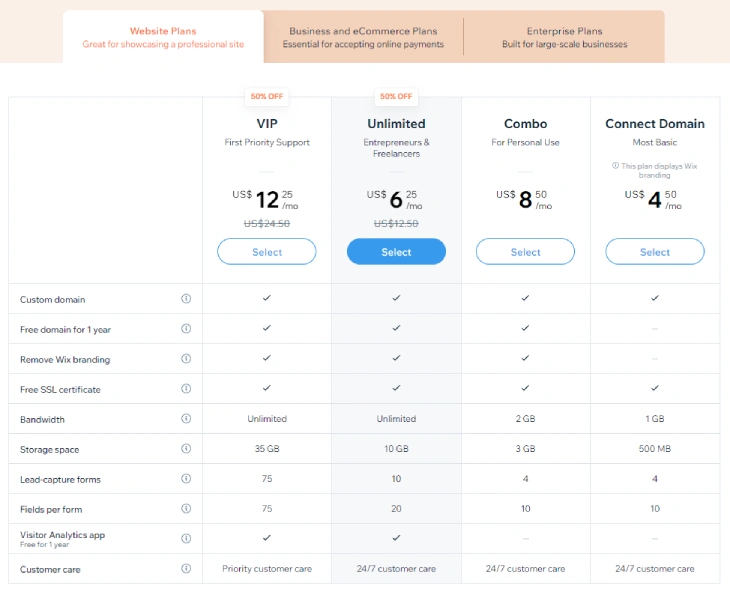
Wix pricing starts with a free plan and scales up through four paid tiers. All prices below are based on annual billing.
- Free: $0/month. Includes Wix branding, no custom domain, limited storage. Good for testing.
- Light: $17/month. Removes Wix ads, adds a free domain for the first year, and gives you 2 GB of storage. No eCommerce.
- Core: $29/month. Adds eCommerce, online payments, bookings, and a loyalty program.
- Business: $39/month. Includes automated sales tax, advanced shipping rules, and dropshipping support.
- Business Elite: $159/month. Highest storage and feature limits for large-scale stores.
Unbounce Pricing Plans (2026)
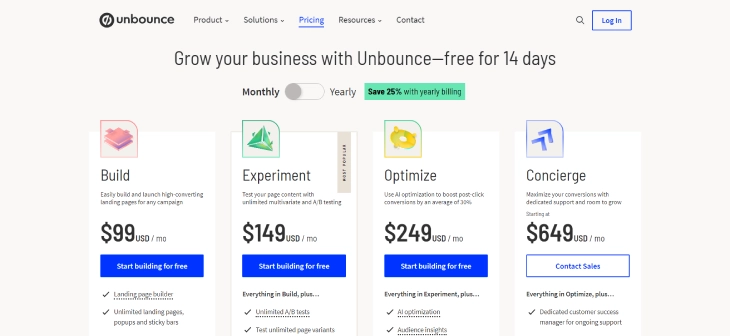
Unbounce has no free plan but offers a 14-day free trial on every tier. Prices below are for monthly billing; annual billing saves roughly 25%.
- Build: $99/month ($74/mo annually). Up to 20,000 visitors and 1 domain. Basic landing page creation and popups.
- Experiment: $149/month ($112/mo annually). Adds A/B testing with unlimited variants.
- Optimize: $249/month ($187/mo annually). Includes Smart Traffic AI that auto-routes visitors to the best-performing page variant.
- Concierge: $649/month. Custom visitor limits, dedicated success manager, migration support.
Which Offers Better Value?
Wix wins on value for most users. You can build a fully functional business website with a store, blog, and custom domain for $29/month. With Unbounce you pay $99/month and still need a separate website for everything that is not a landing page. The math only tips in Unbounce's favor when your landing pages generate enough additional revenue (through higher conversion rates) to justify the $70-$230/month premium. For solo businesses and small teams, Wix's all-in-one pricing is hard to beat.
Features and Functionality: Wix vs Unbounce
These platforms solve different problems. Wix gives you everything needed to run a website-based business. Unbounce gives you a focused toolkit to maximize the return on your paid ad spend. Here is how their features compare across the categories that matter most.
Website Building vs Landing Pages
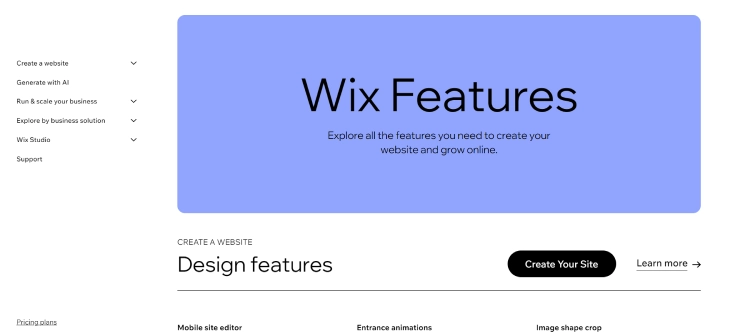
Wix is a full website builder. You can create multi-page sites with navigation menus, blog sections, member areas, booking systems, and online stores, all managed from one dashboard. The drag-and-drop editor lets you place elements anywhere on the page with pixel-level precision, and the newer Wix Studio environment adds responsive breakpoints for fine-tuned mobile design.
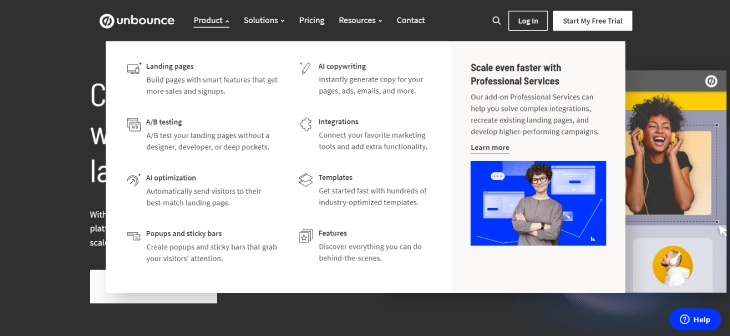
Unbounce is not a website builder. It builds individual landing pages, popups, and sticky bars. There is no navigation menu, no blog engine, and no store backend. What it does instead is give you a single-page editor optimized for one thing: getting visitors to take action. Every template, every widget, and every AI feature is oriented around conversion rate optimization.
A/B Testing and Conversion Tools
This is where Unbounce pulls ahead. A/B testing is built into the platform: you can create unlimited page variants, split traffic between them, and see statistical significance reported in real time. The Optimize plan adds Smart Traffic, an AI system that learns which page variant converts best for each visitor segment and automatically routes traffic accordingly. Unbounce also includes Dynamic Text Replacement, which swaps headline text to match the exact keyword someone searched for in a Google ad, making the page feel tailor-made.
Wix does not include native A/B testing for pages. You would need to use a third-party analytics tool or manually duplicate pages and compare results yourself. For marketers running paid campaigns where every percentage point of conversion rate matters, this is a meaningful gap.
Templates
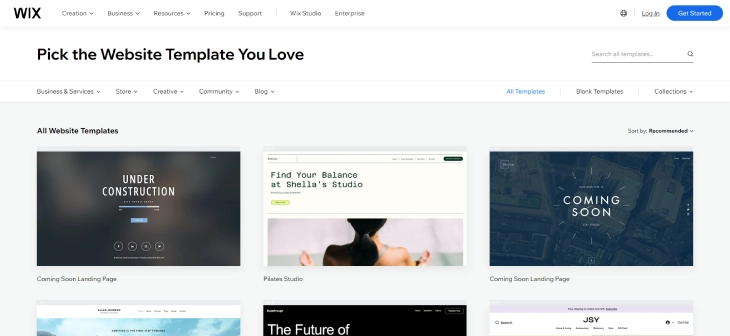
Wix offers over 900 free design templates covering restaurants, portfolios, online stores, blogs, event sites, and more. Each template is fully customizable, and Wix regularly adds new designs. The downside: once you publish with a template, you cannot switch to a different one without starting over.
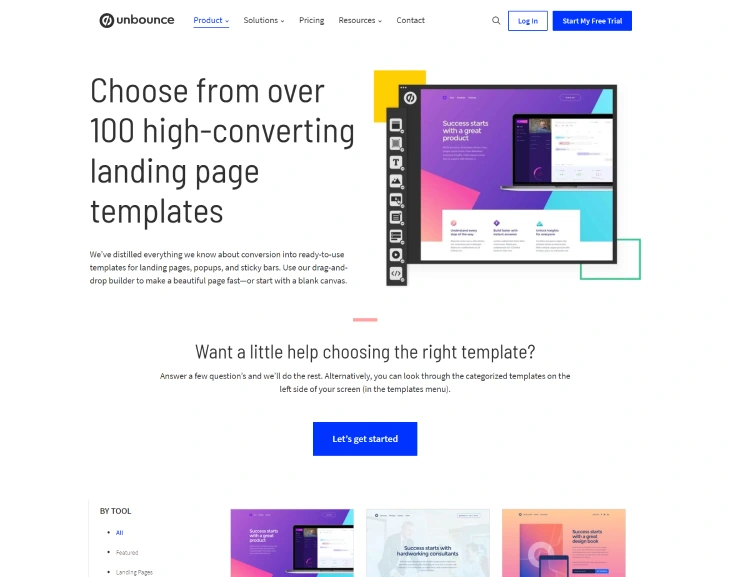
Unbounce offers around 100+ landing page templates organized by campaign goal (lead generation, SaaS signups, webinar registrations, product launches). These templates are designed around conversion best practices: clear headlines, prominent CTAs, minimal distractions. You can customize them with the drag-and-drop editor or start from a blank canvas.
eCommerce
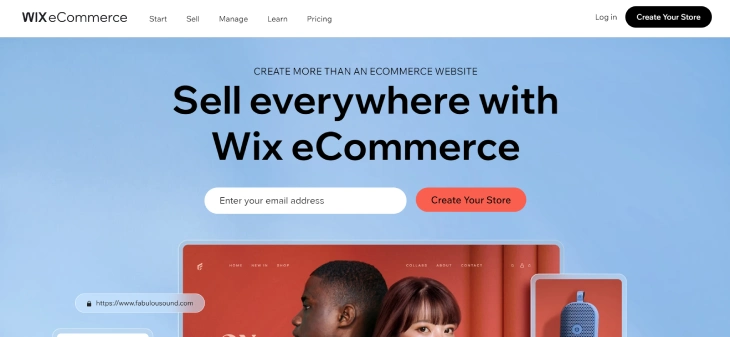
Wix eCommerce is a full-featured online store solution. You can list physical and digital products, manage inventory, set up shipping rules, handle tax calculations, accept payments through Wix Payments or third-party gateways, and run abandoned cart recovery campaigns. The Business plan and above also support dropshipping through apps like Modalyst and Spocket.
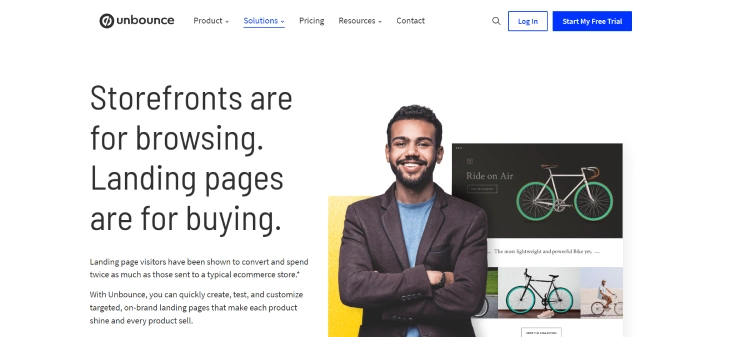
Unbounce does not have eCommerce features. There is no product catalog, no shopping cart, and no checkout flow. What it can do is create high-converting landing pages that drive traffic to your store on another platform. For example, you could run Google Ads that point to an Unbounce landing page, and that page links to your product page on Shopify or Wix. This two-step approach works well for paid campaigns but adds complexity.
SEO
Wix has a solid set of built-in SEO tools. You can edit meta titles, descriptions, URL slugs, heading tags, image alt text, and structured data markup. The Wix SEO Wiz generates a personalized checklist based on your site and keywords. Wix also handles technical SEO basics like auto-generated sitemaps, robots.txt editing, canonical tags, and server-side rendering for JavaScript content. For a deeper look at how Wix stacks up against the most popular CMS, see our Wix vs WordPress SEO comparison.
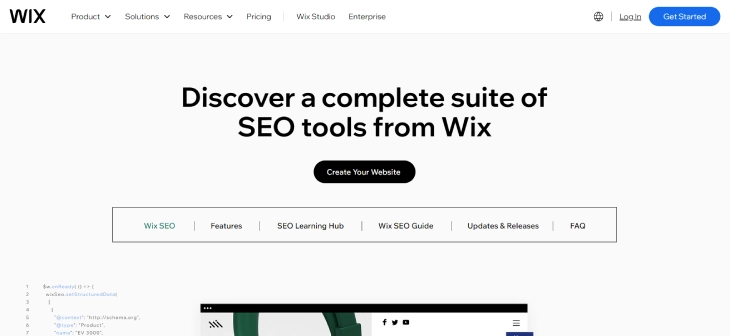
Unbounce allows you to set meta titles, descriptions, and custom URLs for each landing page. It also supports Dynamic Text Replacement, which can improve quality scores in Google Ads by matching page content to search queries. However, Unbounce is not designed for organic SEO. Landing pages are typically standalone pages with thin content and no internal linking structure, which makes them poor candidates for ranking in organic search results. If organic traffic is important to you, Wix is the stronger option.
Third-Party Integrations
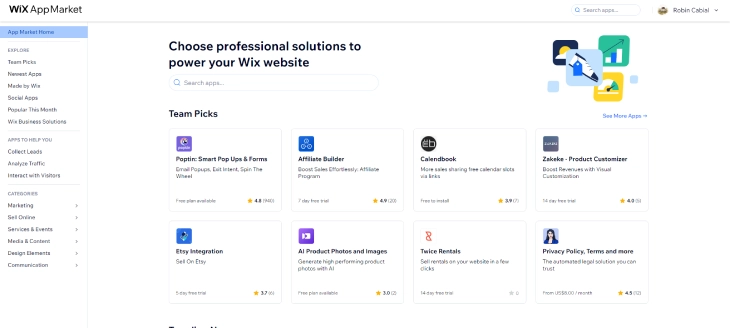
Wix has an App Market with over 500 apps covering analytics, marketing, social media, scheduling, accounting, and more. Popular integrations include Google Analytics, Mailchimp, QuickBooks, and various social media platforms. You can also add custom code if an integration is not available through the market.
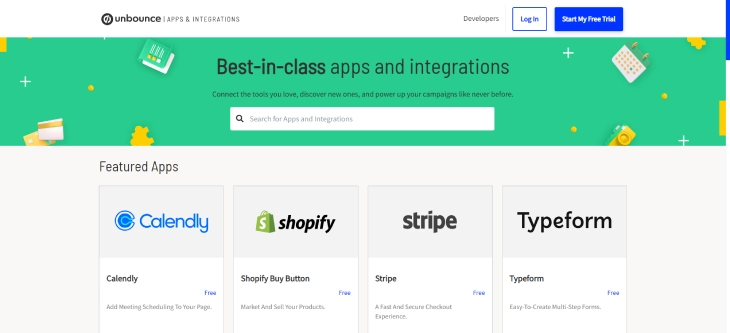
Unbounce focuses its integrations on the marketing and sales stack. It connects natively with Salesforce, HubSpot, Marketo, Mailchimp, ActiveCampaign, and Zapier (which opens the door to thousands of additional tools). The Shopify integration lets you send landing page visitors straight to a checkout page. For marketers already using a CRM and email platform, Unbounce slots in without friction.
Customer Support: Wix vs Unbounce
Both platforms offer support, but the channels and availability differ.
Wix Support
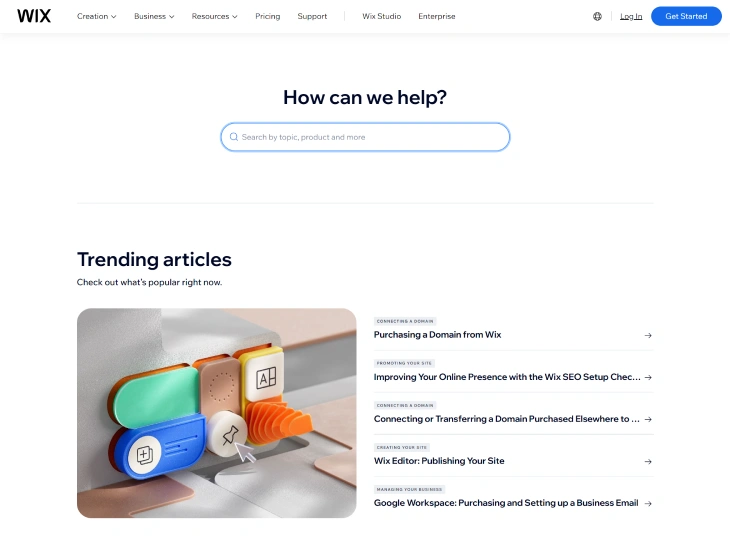
Wix provides 24/7 support through chat and a callback system. The help center includes hundreds of articles, step-by-step video tutorials, and a community forum where you can ask questions and browse answers from other users. Premium plan holders on Business and above get priority support with faster response times.
Unbounce Support
Unbounce offers email and live chat support during business hours (Monday through Friday). Outside those hours, you can submit a ticket. The knowledge base includes guides, webinars, and case studies. Concierge plan customers get a dedicated success manager for hands-on help with campaign strategy and page optimization.
Which Has Better Support?
Wix has the edge for general availability: 24/7 chat and callbacks mean you can get help at any hour. Unbounce support is limited to business hours, but the quality of help tends to be more marketing-focused. If you need guidance on conversion rate optimization or campaign setup, Unbounce's team is more specialized. For general website questions, Wix's broader support network is more practical.
When to Pick Wix Over Unbounce
Choose Wix if any of the following apply to your situation:
- You need a complete website: with pages, a blog, a store, booking forms, and a contact page all under one roof.
- You are on a tight budget: Wix's free plan lets you start without paying anything, and paid plans begin at $17/month.
- You rely on organic search traffic: Wix's SEO tools, blog engine, and site structure are built for ranking in Google.
- You sell products online: Wix handles inventory, payments, shipping, and tax without needing another platform.
- You are a beginner: Wix's editor is one of the easiest to learn, with templates that look professional out of the box.
If you want to build landing pages on Wix rather than using a separate tool, check our guide on how to make a landing page on Wix.
When to Pick Unbounce Over Wix
Choose Unbounce if any of the following apply:
- You run paid ad campaigns: Unbounce's A/B testing, Dynamic Text Replacement, and Smart Traffic AI are built to maximize return on ad spend.
- You already have a website elsewhere: Unbounce works alongside your existing site (on Wix, WordPress, Shopify, or anything else) as a dedicated landing page layer.
- Conversion rate is your top metric: every Unbounce feature is designed to increase the percentage of visitors who take action.
- You work at a marketing agency: the higher-tier plans support multiple clients, domains, and team collaboration.
- You need enterprise CRM integrations: native connections to Salesforce, HubSpot, and Marketo make Unbounce a natural fit for larger marketing stacks.
When Should You Use Wix AND Unbounce Together?
Many businesses run Wix as their main website and Unbounce specifically for paid ad landing pages. This is more common than most comparison articles acknowledge, and it is a genuinely practical setup if your business runs any volume of paid traffic.
The typical workflow looks like this: your homepage, about page, blog, store, and contact page all live on Wix. When you run a Google Ads or Facebook Ads campaign, those ads point to an Unbounce landing page rather than your Wix homepage or a generic product page. That Unbounce page is built specifically for one campaign, one offer, one audience. It has no distracting navigation, a single CTA, and A/B testing running in the background to improve conversion rates automatically.
The technical setup is straightforward. You connect a subdomain to Unbounce (something like go.yourbusiness.com or offers.yourbusiness.com) while keeping your main domain pointed at Wix. This takes about 15 minutes in your domain registrar's DNS settings. Your paid traffic lands on the Unbounce subdomain; organic traffic, direct visitors, and social media followers all land on your Wix site. The two systems run independently with no required integration between them.
This setup makes financial sense when your ad spend is high enough that improving your landing page conversion rate by even 1 to 2 percentage points pays for Unbounce's $99/month fee. If you spend $2,000/month on ads and your landing page converts at 3%, you get 60 leads. A 5% conversion rate on the same spend gives you 100 leads. At $99/month for Unbounce, that extra 40 leads per month costs you $2.50 each, which is often far below your typical cost-per-lead from the ads themselves.
When does this NOT make sense? If your ad spend is under $500/month or you are just testing a new channel, Wix's built-in landing page tools are good enough to start. Wix lets you create focused, single-goal pages with no external navigation, so the conversion difference versus Unbounce may not justify the added cost at low ad budgets. You can always add Unbounce later once your paid campaigns are proven and scaling.
Wix vs Unbounce: The Verdict
For most people, Wix is the better overall pick. It costs less, does more, and covers the needs of solo businesses, freelancers, small shops, and content creators without requiring a second platform. Unbounce earns its higher price when you are spending real money on paid ads and need to squeeze every possible conversion from that traffic. If you are not running paid campaigns, Unbounce's core strengths will go unused. Pick the platform that matches the problem you are actually trying to solve.
* read the rest of the post and open up an offer