

Landing pages are specialized web pages designed with a single focus or goal, known as a call-to-action (CTA). Unlike a full website, a Wix landing page strips away navigation menus and distractions so every element pushes visitors toward one action: signing up, buying, or booking. This focused design is why landing pages consistently outperform standard web pages for conversions.
This guide helps even those with no web design experience create an effective landing page using Wix. By following five simple steps, you can design a Wix landing page that captures leads, sells products, or promotes a service and actually converts visitors into customers.
Step-by-Step Guide to Making a Landing Page on Wix
Building a landing page on Wix is faster than building a full site. Most users complete their first page in under an hour. This walkthrough covers every step, from logging in to hitting publish, including how to use Wix columns to organize your layout, with specific tips on making your CTA buttons and content drive real results.
Step 1: Log Into Your Wix Account
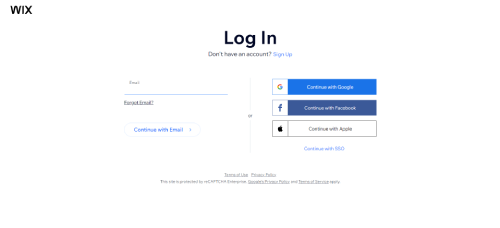
Go to Wix and sign into your account. If you are new to Wix, sign up with your email address or a Google or Facebook account. It takes under two minutes and is free to start. Once you are logged in, head to your dashboard to begin setting up your landing page.
Step 2: Select a Landing Page Template

In your Wix dashboard, go to Templates and filter by Landing Pages. Wix has hundreds of purpose-built landing page templates. Look for one that matches your campaign goal: lead capture, product launch, event registration, or free download. Pick a template with a clear hero section, a prominent CTA button near the top, and minimal navigation links. A well-structured template does most of the conversion work before you change a single word.
Step 3: Add Your Unique Content

Replace every placeholder in the template with your own copy, images, and brand colors. If you want to use a hero video at the top of your landing page instead of a static image, see our guide on how to add video to your Wix landing page to set this up. Keep your headline tight: one sentence that states your offer and its biggest benefit. Use bullet points to list three to five outcomes the visitor gets by taking action. Avoid walls of text. Landing page visitors scan before they read. Most landing page templates already include column sections, but you can set up column layouts manually to match your exact design needs. If you want to include a short explainer video, Wix lets you embed one directly, which can increase time on page and lift conversions. If you want visitors to jump between sections of a long landing page, see how to set up anchor links in Wix to add section navigation without any coding.
Step 4: Add CTA Buttons and Links

Your CTA button is the most important element on the page. Use action-first labels like Get My Free Guide, Start My Free Trial, or Claim Your Discount rather than the generic Submit or Click Here. Place at least two CTA buttons: one above the fold and one near the bottom, so visitors do not have to scroll back up. To learn how to add and style buttons in Wix, see our guide on how to add a button on Wix. If you want to capture leads without sending visitors to a new page, consider adding a pop-up form. Our guide on how to add a popup on Wix walks through the setup.
Step 5: Publish Your Landing Page

Before you publish, preview the page on both desktop and mobile. More than half of landing page traffic comes from phones, and Wix's mobile editor lets you adjust layouts independently. Once you are happy with both views, click Publish to make the page live. After publishing, open the live URL in a private browser window and click through every CTA button and form field yourself to confirm everything works as intended.
One step many people skip: set up a Thank You page. After a visitor submits a form or clicks a CTA that completes an action, redirect them to a dedicated thank you page rather than showing a generic confirmation message. In Wix, go to your form settings, find the Post-Submit options, and set the redirect to a new page you create. A good thank you page confirms the action, sets expectations for what happens next, and can offer a secondary CTA (such as following on social media or downloading a bonus resource).
How to Write Landing Page Copy That Converts
Most guides focus on design and ignore the words. That is a mistake. The copy on your landing page does more conversion work than any color scheme or button placement. Here is what actually moves visitors to act.
Use the Problem-Solution-Outcome Headline Formula
The strongest landing page headlines follow a simple structure: state the problem your visitor has, present your solution, and make the outcome crystal clear. For example: "Stop Losing Leads: Get a Free Website Audit in 2 Minutes." Visitors should read your headline and immediately know what the page offers and why it matters to them. If they have to guess, you have lost them.
Write Benefit Bullets, Not Feature Bullets
Visitors do not care what your product or service is. They care what it does for them. Compare these two bullets:
- Feature bullet (weak): "Includes a 20-page PDF guide"
- Benefit bullet (strong): "Get the exact 20-page checklist our clients use to double their lead forms in 30 days"
Every bullet on your landing page should answer the visitor's unspoken question: "What do I actually get out of this?" Lead with the outcome, then mention the feature as proof it delivers that outcome.
Place Social Proof Right After Your CTA Button
Most people put testimonials at the bottom of the page, where few visitors ever reach. Research consistently shows that social proof placed immediately after the CTA button produces higher conversion rates. The logic is simple: a visitor reads your offer, feels interested but uncertain, then sees a real customer confirming it works. That sequence removes the last hesitation at exactly the right moment. Include the customer's full name, photo, and a specific result (not just "Great product!") for maximum credibility.
Add Urgency Without Being Dishonest
Countdown timers and limited-quantity claims do increase conversions, but only when they are real. If you run a countdown timer that resets every time someone visits, informed visitors will notice and your credibility collapses. Real urgency examples that work: a sale that genuinely ends Sunday, a webinar with a fixed number of spots, or an early-bird price that increases after a set date. If your offer does not have a natural deadline, consider creating one: a quarterly intake, a limited consulting availability, or a bonus that expires. Honest urgency converts. Fake urgency destroys trust.
How to Optimize Your Wix Landing Page for Page Speed
Google's Core Web Vitals are now a ranking factor, and they also affect your Quality Score in Google Ads, which directly impacts your cost per click. A slow landing page costs you money twice: once in lower ad rankings and once in visitors who leave before it loads. Here is how to keep your Wix landing page fast.
Compress Your Hero Image Before Uploading
Wix automatically compresses images after upload, but the starting point matters. If you upload a 4MB photo, Wix compresses it, but the result is still larger than if you had started with an optimized original. Target a hero image file size under 150KB before uploading. Use a tool like Squoosh or TinyPNG to compress images without visible quality loss. WebP format produces the best file size-to-quality ratio and is what Wix serves by default to supported browsers.
Avoid Autoplay Video Backgrounds
A full-screen autoplay video behind your headline looks impressive on a fast desktop connection. On a mobile phone with average signal, it adds 2 to 5 seconds to your load time, which typically costs you 20 to 40 percent of visitors before they ever see your offer. If you want movement on the hero section, use a short looping GIF (under 500KB) or a CSS animation instead. Save video for a section further down the page, where interested visitors who are already engaged will see it.
Limit Third-Party Scripts
Every external script you add to your landing page (such as Google Analytics, Meta Pixel, a chatbot, or a heatmap tool) adds between 200 and 500 milliseconds to your load time. On a landing page, where speed directly affects conversion rates and ad costs, every script needs to justify its presence. Keep only what you need to measure: one analytics tool and one ad pixel. Remove chatbots from landing pages unless your product specifically requires sales support before conversion.
Enable Wix Turbo Mode If Your Plan Includes It
Wix offers a performance feature called Turbo on certain paid plans. It pre-fetches pages and optimizes how assets load. If your plan includes it, make sure it is enabled in your site settings under Performance. Wix also automatically serves content through a CDN (Content Delivery Network), which means your page loads from a server physically close to each visitor.
Landing Page SEO on Wix: Should You Even Try?
This is a question almost no landing page guide addresses, and the answer is more nuanced than a simple yes or no.
When SEO Does Not Matter for a Landing Page
If your landing page exists purely to receive paid ad traffic (Google Ads, Meta Ads, or similar), SEO is irrelevant and you should not spend time on it. In fact, mixing paid and organic traffic on the same page complicates your data. You cannot cleanly measure your ad campaign's conversion rate if some visitors arrive organically with different intent. For pure paid traffic pages, focus entirely on conversion rate, not search rankings.
When You Should Optimize for SEO
For organic or content-driven landing pages, SEO is worth pursuing. Specifically, optimize a landing page for search when:
- The page is also your main product or service page and needs to rank for a core keyword
- You are targeting a long-tail keyword with moderate search volume (typically under 5,000 monthly searches) where ranking is achievable without a large backlink budget
- The page is meant to both rank in search results and convert the visitors it attracts
What to Do in Wix SEO Settings
If you decide SEO matters for your landing page, here is the short list of what to configure in Wix:
- Open the Wix SEO Settings panel for the page (click the page in Pages and Menus, then SEO)
- Write a meta title that includes your target keyword and stays between 50 and 60 characters
- Write a meta description between 140 and 160 characters that describes the page's specific value
- Make sure the H1 heading on the page includes the target keyword naturally
- Set the URL slug to match the keyword (for example,
/free-website-audit-wixrather than a generic auto-generated slug)
These five steps take less than ten minutes and cover the basics that give a landing page a realistic chance of appearing in search results for its target phrase.
Wix Landing Page vs. Full Wix Site: Which Do You Need?
Knowing when to create a landing page versus a full site saves you time and gets better results from your marketing campaigns. If you need to add a standard page rather than a conversion-focused landing page, our guide on how to create a new page on Wix covers all four page types and navigation setup.
A Wix landing page is the right choice when you have a single, specific goal: collecting email sign-ups, selling one product, promoting a webinar, or running a paid ad campaign. Because it has no site navigation, visitors stay focused on your offer instead of browsing away.
A full Wix site makes sense when you need multiple pages (an about page, a blog, a product catalogue, or a custom contact form) and you want visitors to explore your brand over time.
Many businesses use both: a full Wix site for their main web presence and dedicated landing pages for each marketing campaign or product launch. Wix supports this setup natively, letting you create standalone pages that sit outside your main site navigation.
How to Track Conversions on Your Wix Landing Page
Publishing your landing page is only half the work. Knowing whether it actually converts requires setting up conversion tracking before you drive any traffic to it.
Using Wix Analytics
Wix includes built-in analytics accessible from your dashboard under Analytics & Reports. For landing pages, the most useful metrics are:
- Sessions and unique visitors: total traffic arriving at your page
- Bounce rate: the percentage of visitors who leave without interacting
- Form submissions: if you added a Wix form, submission counts appear in your Forms & Submissions dashboard
- Button clicks: Wix does not track individual button click counts natively, but you can see link click data through Google Analytics events
Connecting Google Analytics
For deeper conversion data, connect Google Analytics to your Wix site. From your Wix dashboard, go to Marketing & SEO, then Marketing Integrations, and select Google Analytics. Paste your GA4 Measurement ID and save. Once connected, you can set up conversion events in Google Analytics (such as tracking form submissions as goals) and see which traffic sources produce the most conversions on your landing page. This data tells you whether to invest more in paid ads, organic search, or social, based on actual conversion performance rather than traffic volume alone.
How to A/B Test Your Wix Landing Page
A/B testing means running two slightly different versions of your landing page at the same time to find out which one converts better. Wix does not have a native split-testing tool, but you can run A/B tests manually in a few steps. If A/B testing is a priority for your campaigns, see how Wix compares to Unbounce for landing pages, since Unbounce includes native split testing on every plan.
- Duplicate the page in your Wix editor. Right-click the landing page in Pages & Menus and select Duplicate. This creates an identical copy you can modify.
- Change one element on the duplicate: the headline, the CTA button label, the hero image, or the form placement. Test one variable at a time so you know which change actually drove the improvement.
- Split your traffic between the two pages. If you are running paid ads, create two ad groups pointing to different URLs. If you are driving organic or email traffic, alternate which URL you share over time.
- Measure for at least two weeks before drawing conclusions. Small traffic volumes produce misleading conversion rate differences. Wait until each version has received at least 200 visitors.
- Keep the winner and start the next test. Continuous testing compounds over time: a 5% lift each month adds up to a substantially higher-converting page by the end of the year.
Why Landing Pages Matter for Your Marketing
A landing page plays an important role in digital marketing by serving as the first point of interaction between a visitor and a brand. Unlike a homepage, it is built for one outcome, which makes it far more effective at driving that outcome.
Here are six reasons every Wix site owner should know how to create a landing page:
Conversion Optimization
A well-crafted landing page focuses on a single call to action, increasing the likelihood of converting visitors into customers. By removing navigation menus and off-topic content, the page keeps attention on the offer. Studies consistently show that targeted landing pages outperform homepages for paid traffic, sometimes by a factor of five or more.
Targeted Messaging
Landing pages let you match your message to the exact ad, email, or social post that brought the visitor to the page. This message match uses the same language and offer the visitor already responded to, which builds immediate trust and reduces bounce rates. You can create multiple versions of a landing page for different audience segments without changing your main website.
Lead Generation
One of the primary purposes of a Wix landing page is to capture leads by collecting visitor information through forms. Offering something of value (a free guide, a discount code, or an exclusive webinar) in exchange for an email address is the most common and effective approach. Those leads can then be nurtured through email marketing campaigns over time.
Measurement and Optimization
Landing pages give you clean, isolated data. Because the page has one goal, you can measure exactly how many visitors took that action and calculate a precise conversion rate. Wix connects to Google Analytics and other tools, letting you track bounce rates, time on page, and form completions. Use that data to test headline variations or CTA button colors and continuously improve your results.
Branding and Consistency
A landing page offers an opportunity to reinforce brand identity across every marketing channel. When the design, colors, and tone of your landing page match the ad or email that sent the visitor there, it creates a consistent experience that builds credibility. Inconsistency between an ad and the page it links to is one of the most common reasons visitors leave without converting.
Flexibility and Scalability
Wix landing pages can be duplicated and adapted for new campaigns in minutes. Launch a seasonal promotion, test a new product offer, or run a giveaway, then duplicate the page and swap out the content for the next campaign. You can scale your marketing efforts without rebuilding from scratch every time.
How to Use Wix's AI Tools to Create a Landing Page
Wix now includes an AI-powered website generator that can build a landing page draft from a text description. This is faster than picking and customizing a template, especially for users who are not sure where to start.
Here is how to use it:
- From your Wix dashboard, click Create New Site.
- Choose the AI Site Generator option (sometimes labeled as Wix ADI, depending on your account region).
- Describe your landing page goal in a sentence or two. For example: "A landing page for a photography course that collects email addresses in exchange for a free sample lesson."
- Wix generates a draft with placeholder text, images, and a form based on your description.
- Replace the placeholder content with your actual offer, brand images, and copy, then publish.
One practical limitation: Wix's AI generator is optimized for full multi-page websites, not standalone landing pages. After generation, delete all pages except the one you want to use, and remove the navigation menu from the remaining page (covered in Step 3 above). The result is a custom starting point that still needs the same five-step process described in this guide to work properly as a landing page.
Wix Landing Page Best Practices: What the Top-Converting Pages Have in Common
High-converting Wix landing pages share a handful of characteristics that most guides overlook because they focus on design mechanics rather than conversion outcomes.
- The headline communicates the offer within 3 seconds. Visitors scan, they do not read. If someone cannot state your offer back to you after a single glance at the headline, rewrite it. The best headlines name a specific outcome: "Get a free 20-point audit of your Wix site" beats "Professional Wix Services."
- The form asks for fewer than 4 fields. Every additional field reduces completion rates. For lead generation, ask for first name and email only. Collect more information later in a follow-up email or on a second step after the visitor is already committed.
- Social proof appears near the top, not at the bottom. Most landing pages bury testimonials at the bottom where few visitors scroll. Placing one strong testimonial with a full name, photo, and specific result immediately after the CTA button addresses the visitor's hesitation at exactly the right moment.
- There is one primary exit option: the CTA button. No social media icons, no blog links, no top navigation. Each additional clickable element is a reason to leave without converting. If your Wix template includes a footer with links, either hide the footer on this page or remove all non-essential links from it.
- The mobile version is tested before launch. More than half of landing page visitors arrive on phones. Preview and click through every element on the Wix mobile editor before publishing. CTA buttons that look clear on desktop often overlap text or get cut off on mobile without manual adjustment.
Build, Launch, and Improve Your Wix Landing Page
Creating a landing page on Wix is one of the highest-impact things you can do for your marketing without needing a developer. In five steps (log in, pick a template, add your content, set up your CTAs, and publish) you can have a live, conversion-ready page that captures leads or drives sales.
The key is keeping the page focused: one offer, one CTA, no distractions. Write copy that leads with benefits, place social proof right after the CTA button, and be honest about any urgency you add. Compress your images before uploading, cut unnecessary scripts, and decide upfront whether SEO matters for this particular page. Set up a thank you page for post-conversion flow, connect Google Analytics to track real results, and use Wix's page duplication feature to run simple A/B tests over time. Start with a template, customize it for your audience, and let the data guide your next move. If you want ongoing content publishing rather than a single-focus page, see our guide to start a Wix blog for the full blogging workflow.
* read the rest of the post and open up an offer